Rohit Mehta ← All work

Item Share

Turning a shared deal into a reason to install the app — location-aware, and honest about price.

Case studyFlipp

RoleSenior Product Designer
TeamGrowth Hack squad
When2019
PlatformsiOS · Android · Web

Overview

A share that lost the deal along the way.

Sharing an item on Flipp should be a small act of generosity — "look at this price." But the old share had no deep linking and presented confusing information: prices that didn't apply where the recipient lived, deals that had expired, links that led nowhere useful.

I set out to make sharing contextual and actionable, anchored to each person's real location.
The challenge

Make sharing drive installs.

This lived on Flipp's Growth Hack squad, with new-user acquisition as the KPI. Sharing was almost unused, and when it happened it rarely converted.

  1. Barely used. Under 1% of users ever shared, only flyer items were shareable, and organic installs from shares were minimal.
  2. Wrong place, wrong price. The system couldn't match an out-of-area item to a local equivalent, so recipients saw prices that didn't apply.
  3. Dead ends. Recipients rarely opened shares or converted, and retailers had "dark weeks" with no fresh content to land on.
  4. No path for non-users. A shared link gave someone without the app no real reason — or route — to install and see the deal.

Existing flow

Share a link, hope for the best.

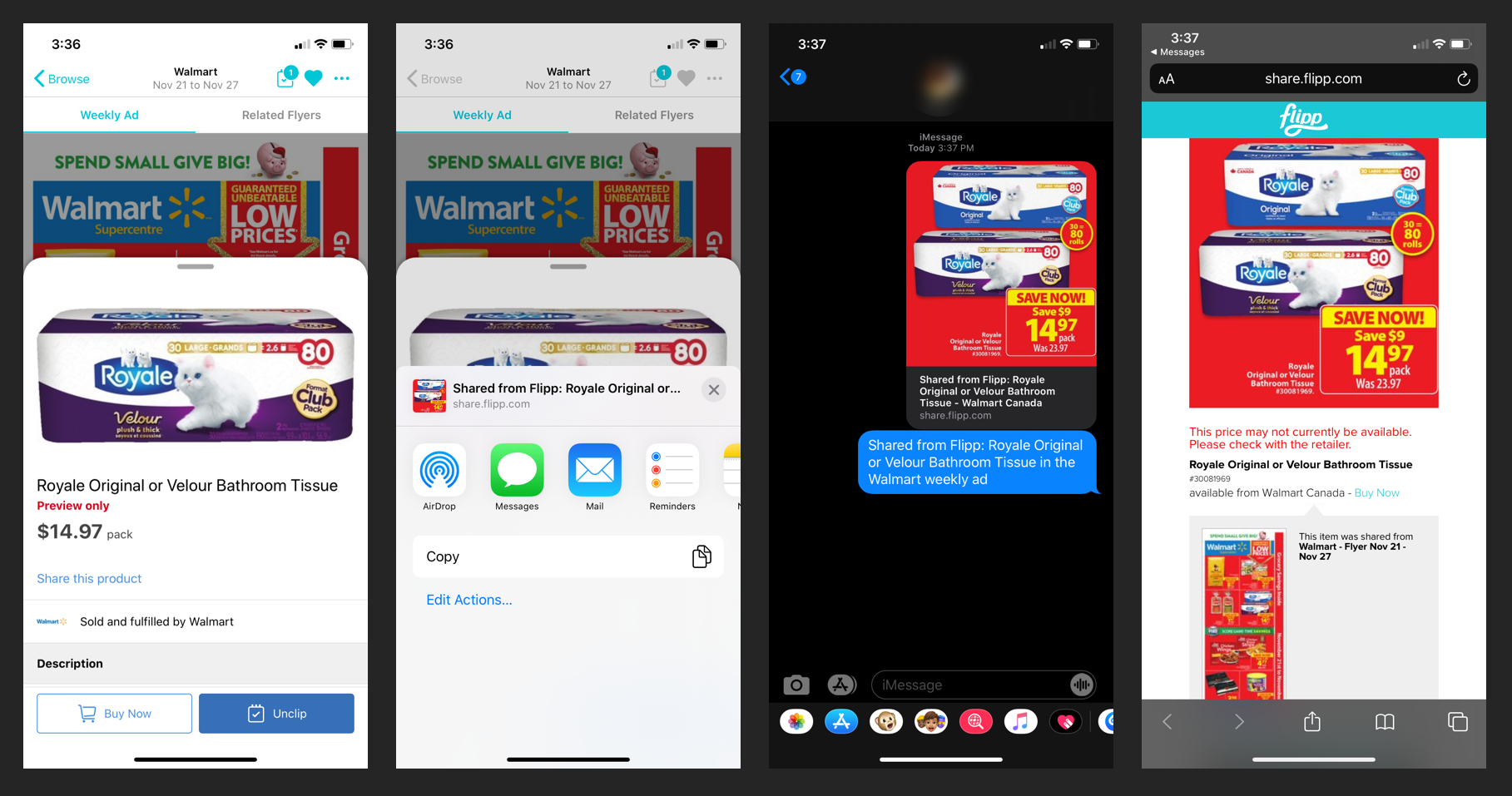
The old share pushed a generic share.flipp.com link. Open it somewhere else and you'd often meet "this price may not currently be available" — the exact opposite of the confident "here's a great deal" the sender intended.

Existing item share: product detail, share sheet, iMessage, and the web fallback showing price may not be available
01The existing share — a link to a web page that couldn't promise the price would hold.

Explorations

Mapping who's sharing what, and from where.

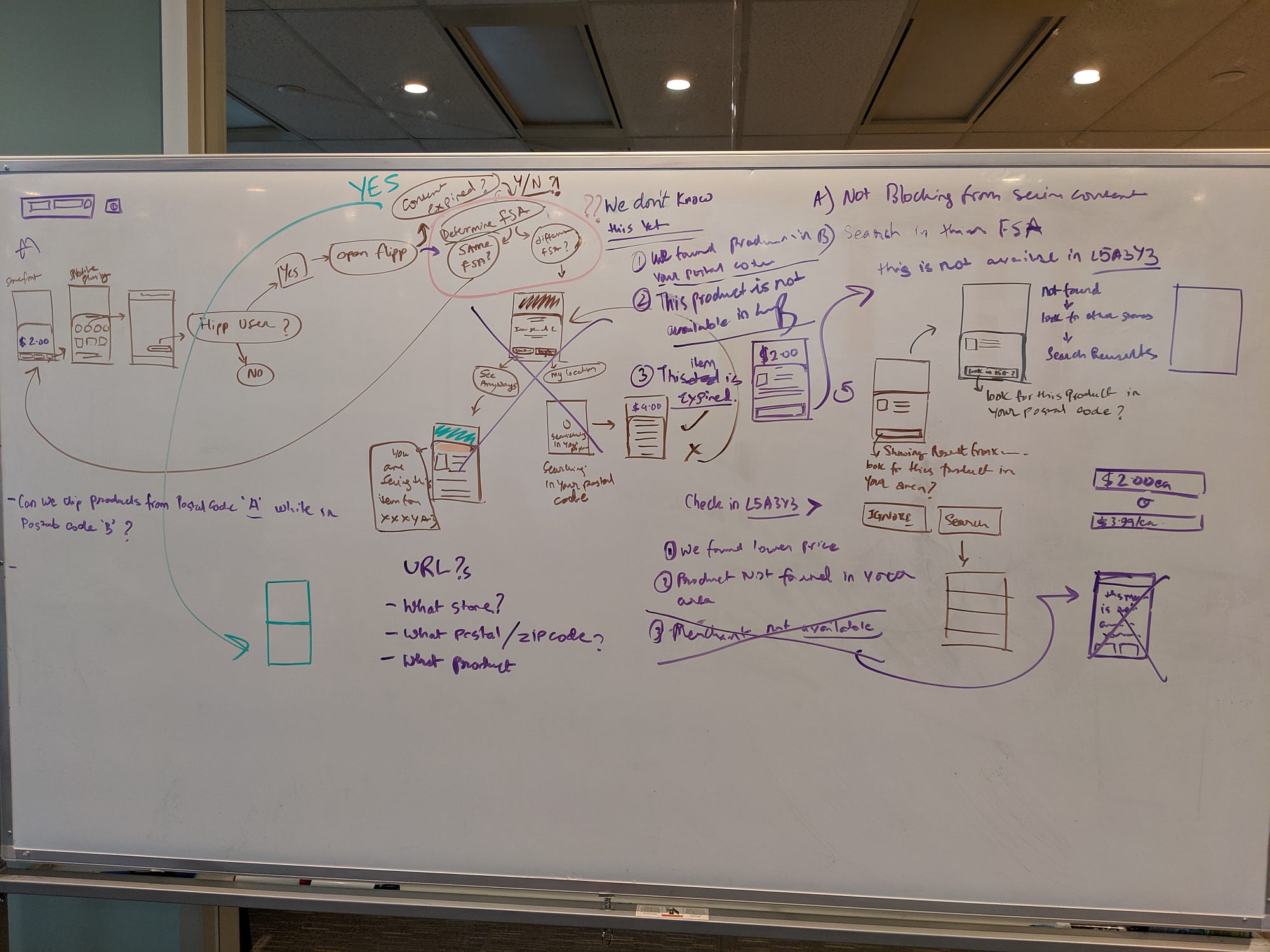
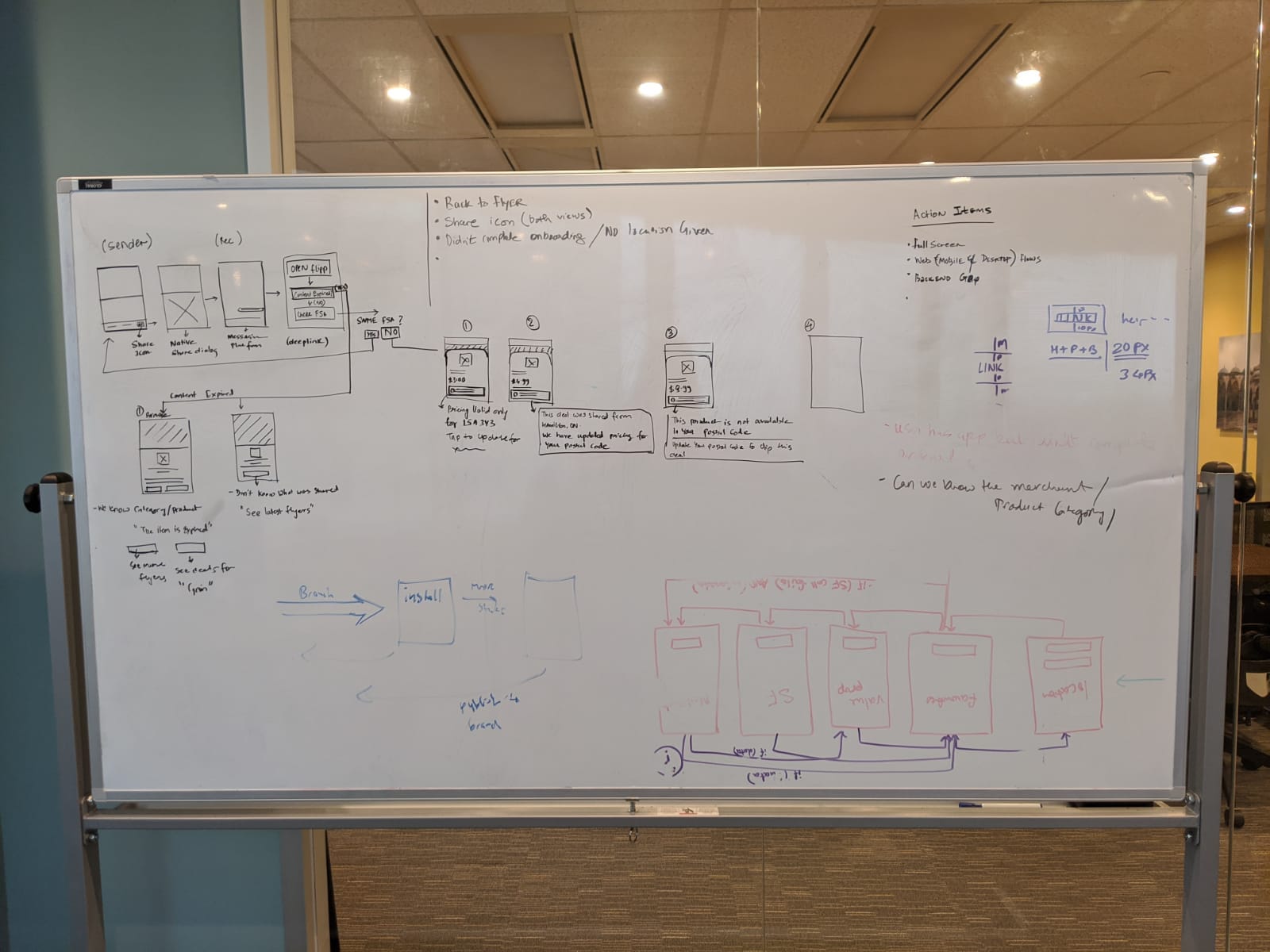
I started at the whiteboard, mapping every combination: sender and recipient in the same postal code or different ones, content fresh or expired, recipient a Flipp user or not. The hard question underneath it all — can we show a price from postal code A to someone standing in postal code B? — drove the whole design.

Whiteboard mapping the item-share user flows and location logic
02Mapping the flows — location logic, expiry, and URL behaviour.
Second whiteboard covering sender/recipient states and action items
03Sender and recipient states, and the engineering action items.

Designing the cases

Case 1 — same place, product available.

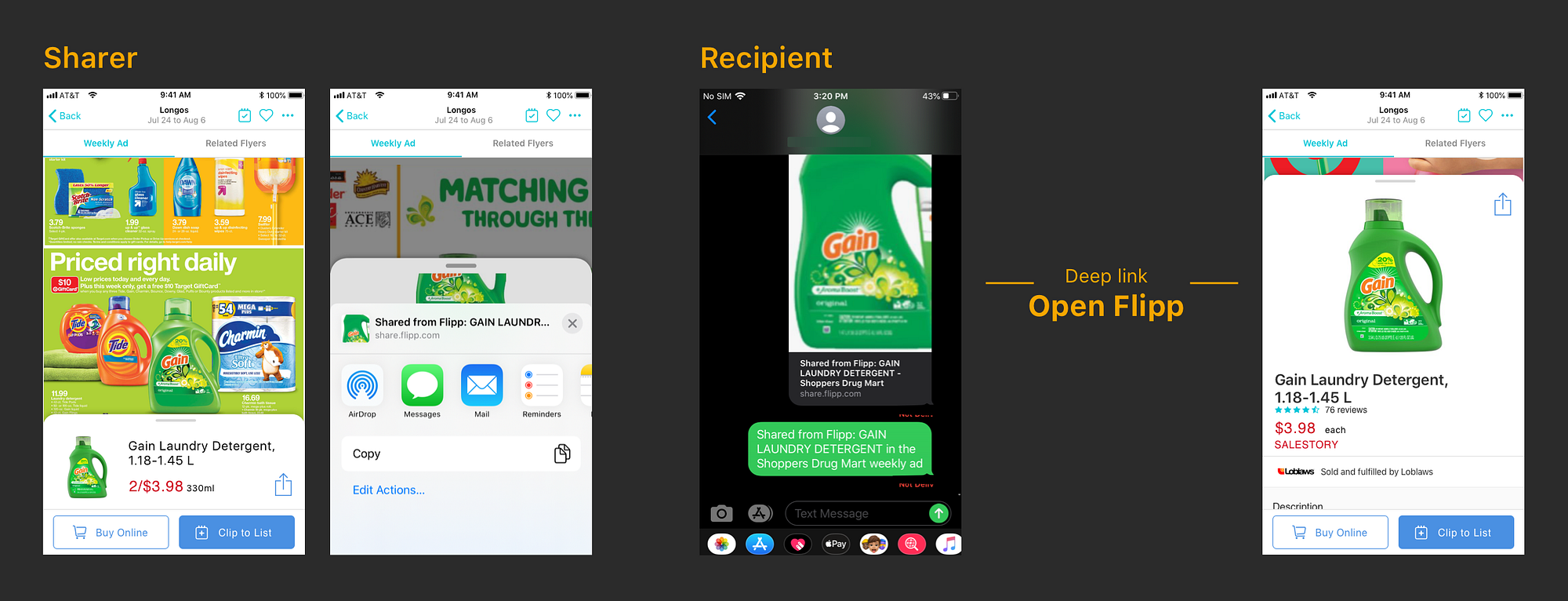
The simplest path. The recipient deep-links into Flipp and sees the same price and availability the sender did.

Sharer to recipient deep-link flow opening the item in Flipp
04A share deep-links straight into the item inside Flipp.

Designing the cases

Case 2 — different geographies.

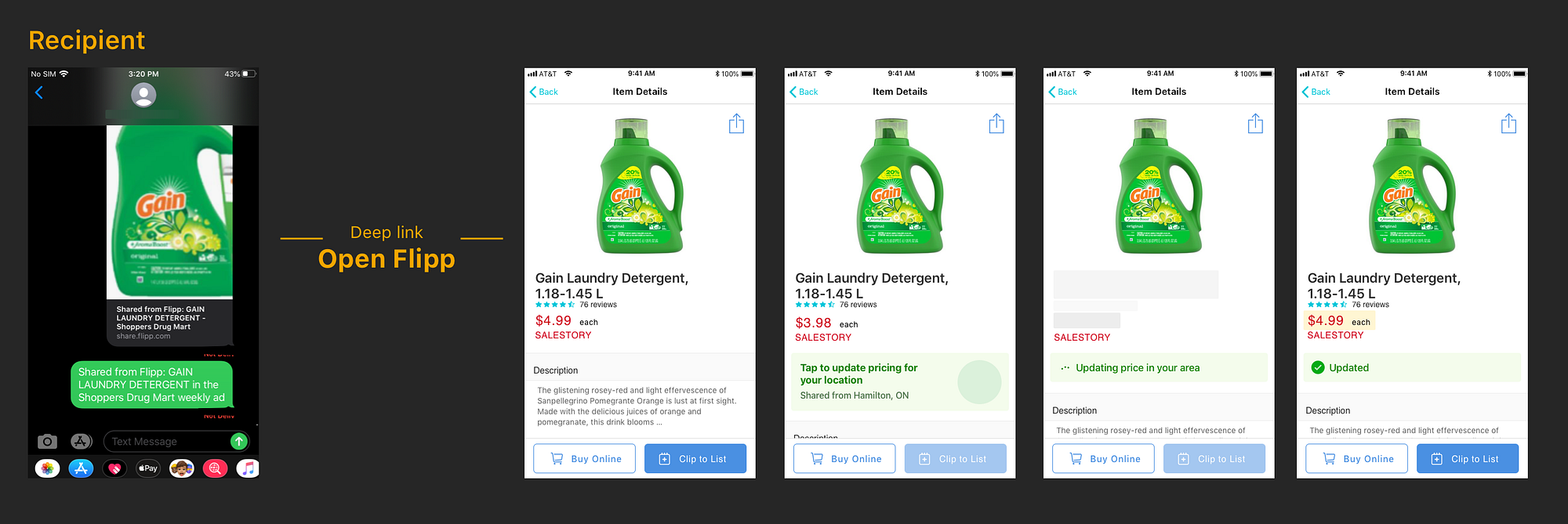
Prices vary by region, so instead of showing a number that might be wrong, the recipient can update pricing for their own location and keep the experience intact.

Recipient updating pricing for their location: tap to update, updating, updated states
05"Update pricing for your location," with honest in-between states.

Constraints

Design the ideal, ship what's buildable.

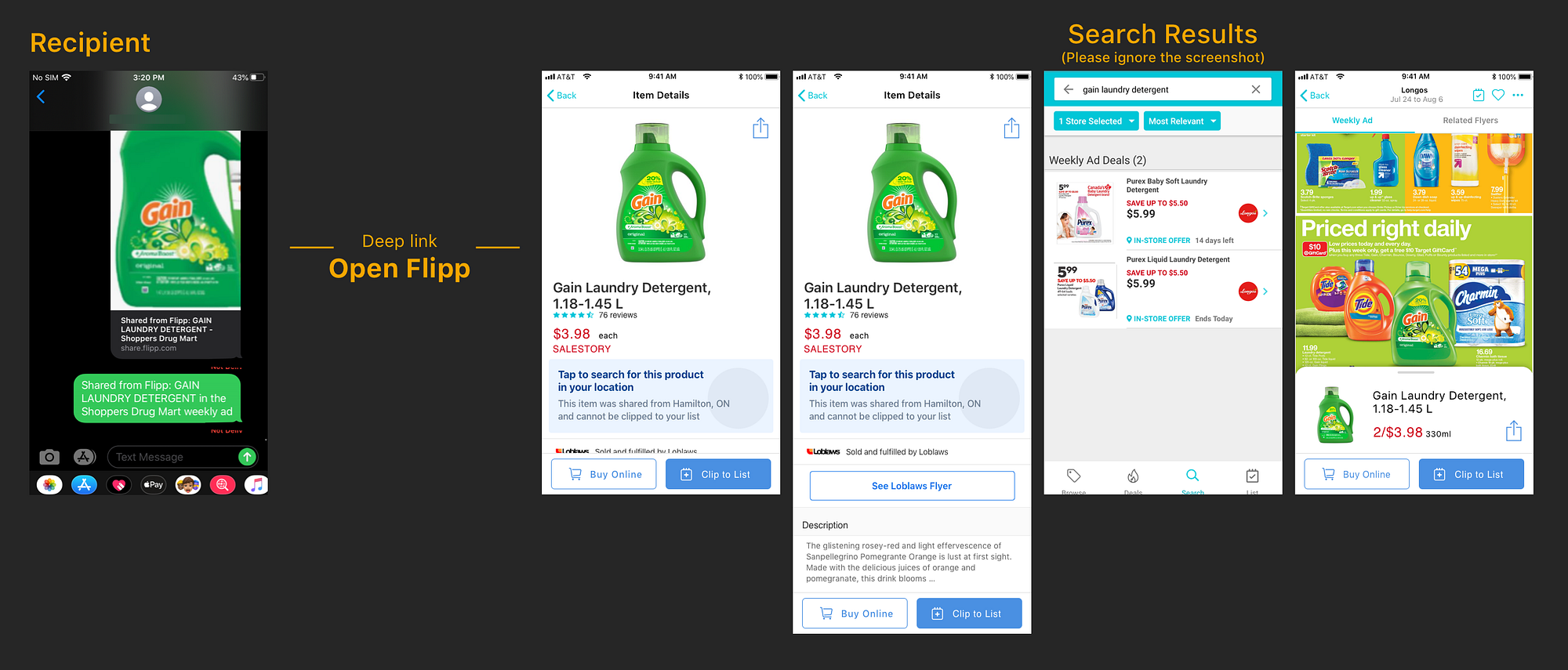
As a brand-new capability, I designed the ideal experience first, then scaled it to what engineering could support. Live dynamic pricing wasn't feasible yet, so we simplified: same-location recipients kept the original experience, and out-of-area recipients could search locally — prioritizing the identical product from the same retailer, then the same product elsewhere, then a comparable regional item.

Out-of-area recipient: tap to search for this product in your location, and search results
06Out-of-area — "search for this product in your location."

Non-users

Give a stranger a reason to install.

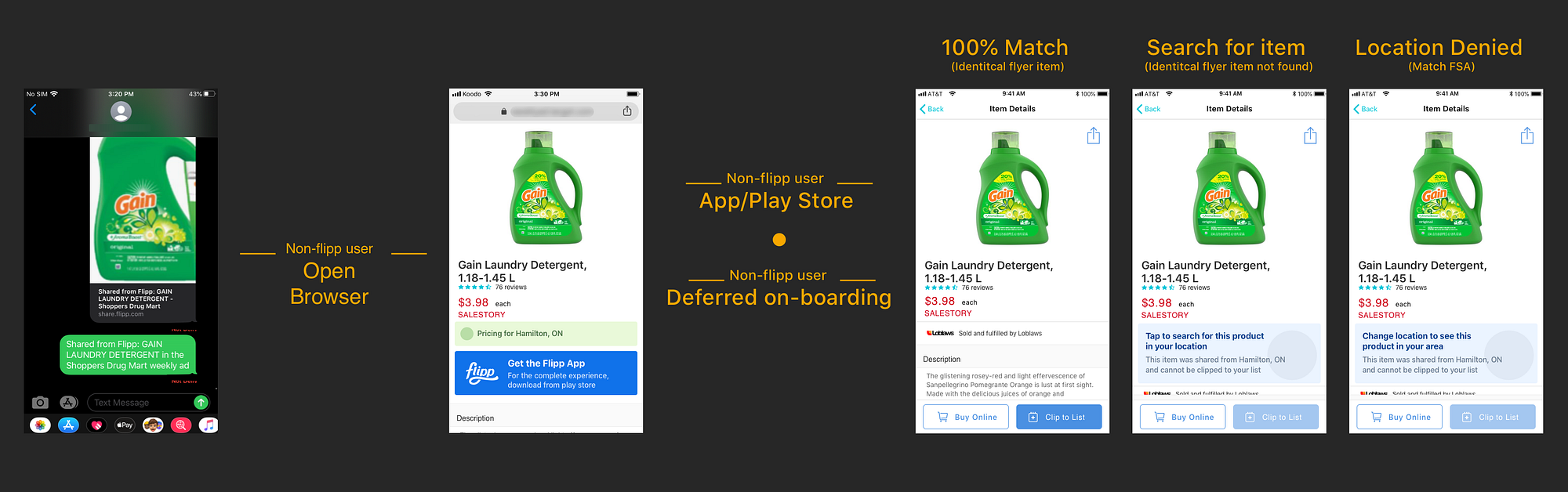
The growth lever lived here. A non-Flipp recipient opens a clean web view of the item with a clear "Get the Flipp App" prompt; after installing, deferred onboarding drops them straight onto the shared product — resolving to a 100% match, a local search, or a location prompt depending on what's available.

Non-Flipp user flow: browser view, get the app, deferred onboarding into the shared item
07Web view, install, and deferred onboarding into the exact shared item.

Closing note

Scoped, validated, and handed off.

With the MVP scope locked and the team energized about the direction, the plan was to move into user testing. I was laid off the next day, so I didn't get to see it through — but the flows, the location logic, and the acquisition path were designed and ready to build.