Oracle · Case study
Sourcing Rules & Bills of Distribution
Three screens that decide where every unit of supply actually comes from.
The problem
Sourcing rules, bills of distribution, and assignment sets ran on a dense, old interface.
A sourcing rule tells the planning system where a single item should come from — made internally, transferred from another org, or bought from a supplier — and at what priority. A bill of distribution does the same thing for a whole network of organizations at once. An assignment set connects either one to actual items, categories, organizations, or customers. All three were still running on an old interface: dense forms, no guardrails, and mistakes that weren't caught until a plan had already run on bad data.
The goal
Give planners control over how and where materials are sourced.
As a planner, I need to set up rules that decide where materials come from, so orders are fulfilled by priority, sourcing is spread across more than one option on purpose, and the whole strategy can change quickly when business conditions do.
- 01 Set a priority ranking for where materials come from when fulfilling orders.
- 02 Split sourcing across more than one supplier or location on purpose, instead of relying on one.
- 03 Change that sourcing strategy quickly when business conditions change — a tariff, a shipping disruption, a new supplier.
- 04 Apply different sourcing strategies to different locations.
- 05 Link items, organizations, and customers together into one sourcing model.
The solution
One shared pattern across all three screens.
Sourcing rules, bills of distribution, and assignment sets all use the same table, filter, and create pattern, with guardrails that catch invalid data before it's saved.
Sourcing rules
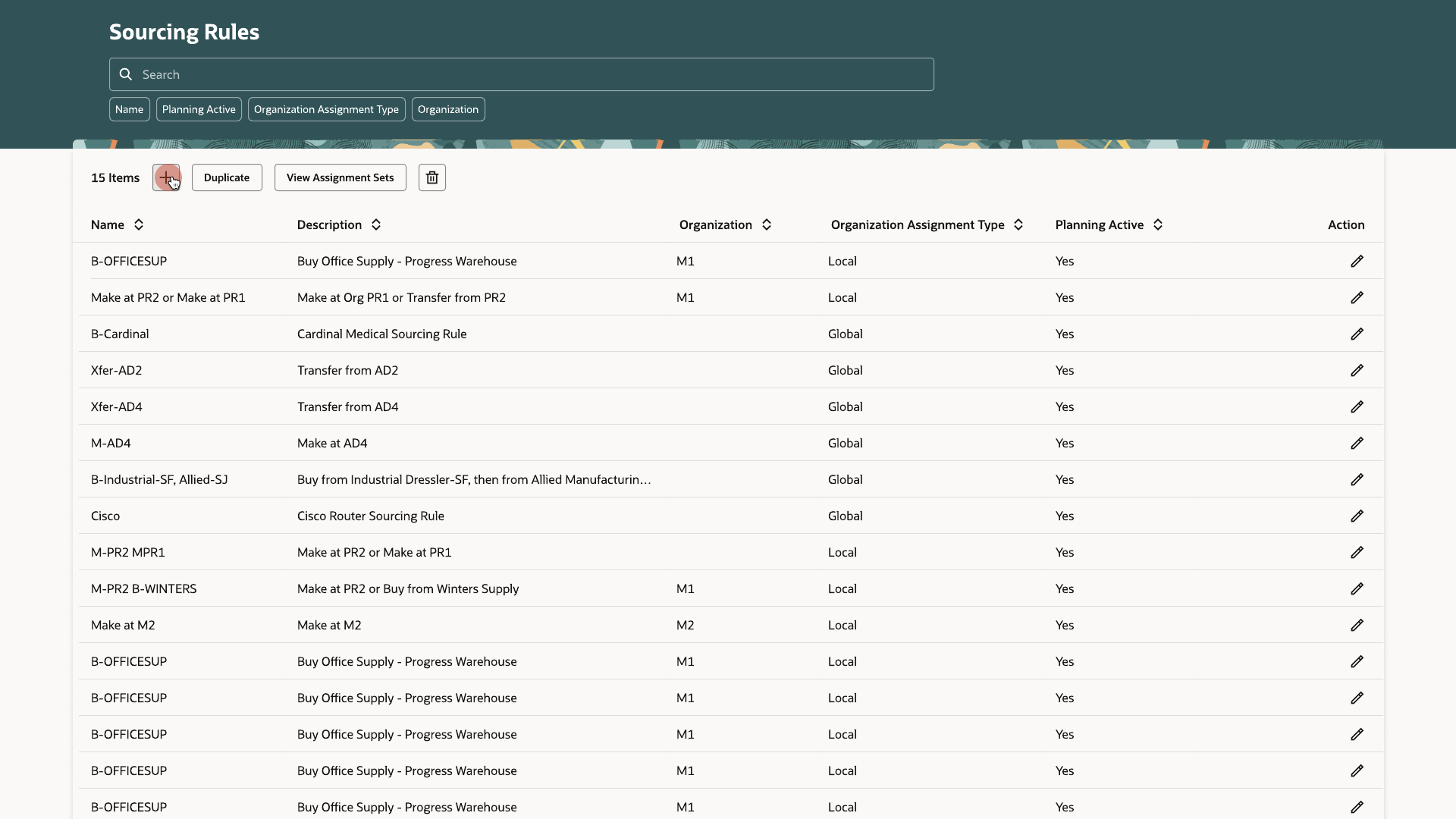
The rules list
Sourcing Rules opens from Plan Inputs, Supply Plans, Demand and Supply Plans, Replenishment Plans, Sales and Operations Plans, Backlog Management, and Global Order Promising — the same page, no matter where a planner starts.
Sourcing rules
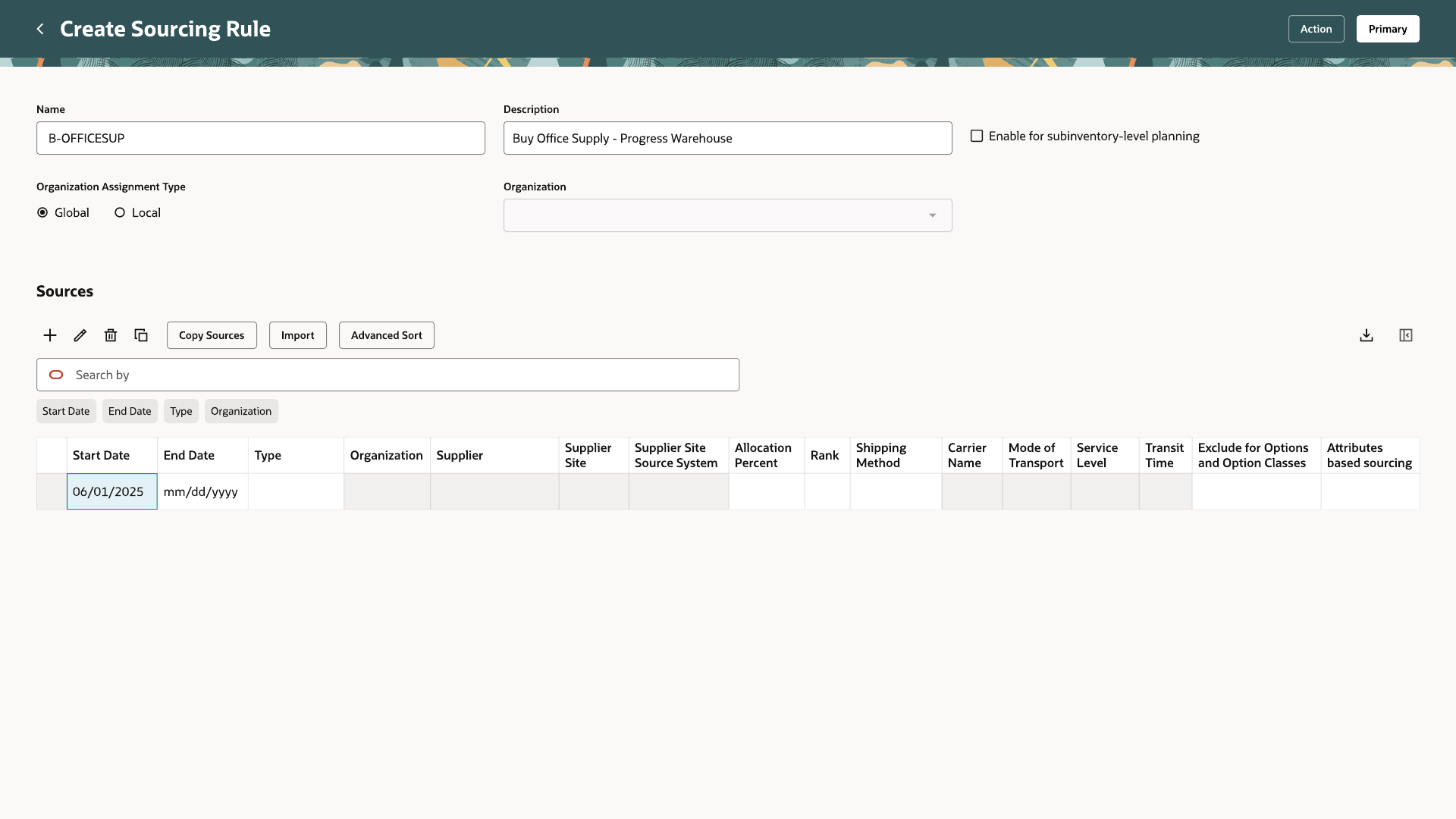
Creating a rule
Name, description, and whether the rule applies globally or to one local organization start every rule, before a single source is added.
Sources and guardrails
Rank and allocation
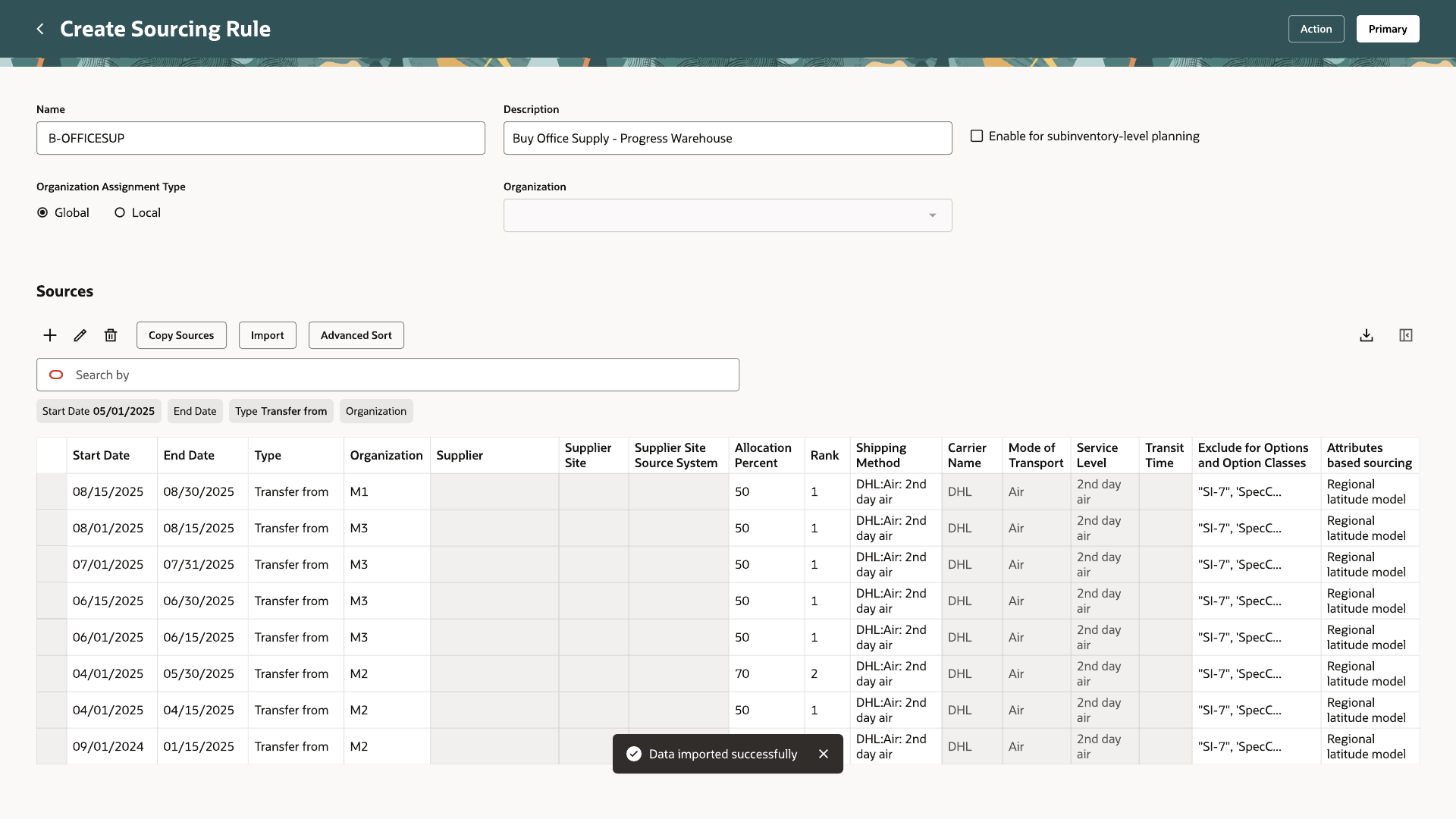
Each source row carries a type — transfer from, make at, or buy from — a rank, and an allocation percentage. Every source sharing a rank has to total exactly 100%. A planner might rank three internal transfer origins at rank 1, split however the business needs, and fall back to an outside supplier at rank 2. Every row also carries its own effective start and end date, so a rank can be reallocated without touching the rows before or after it.
Sources and guardrails
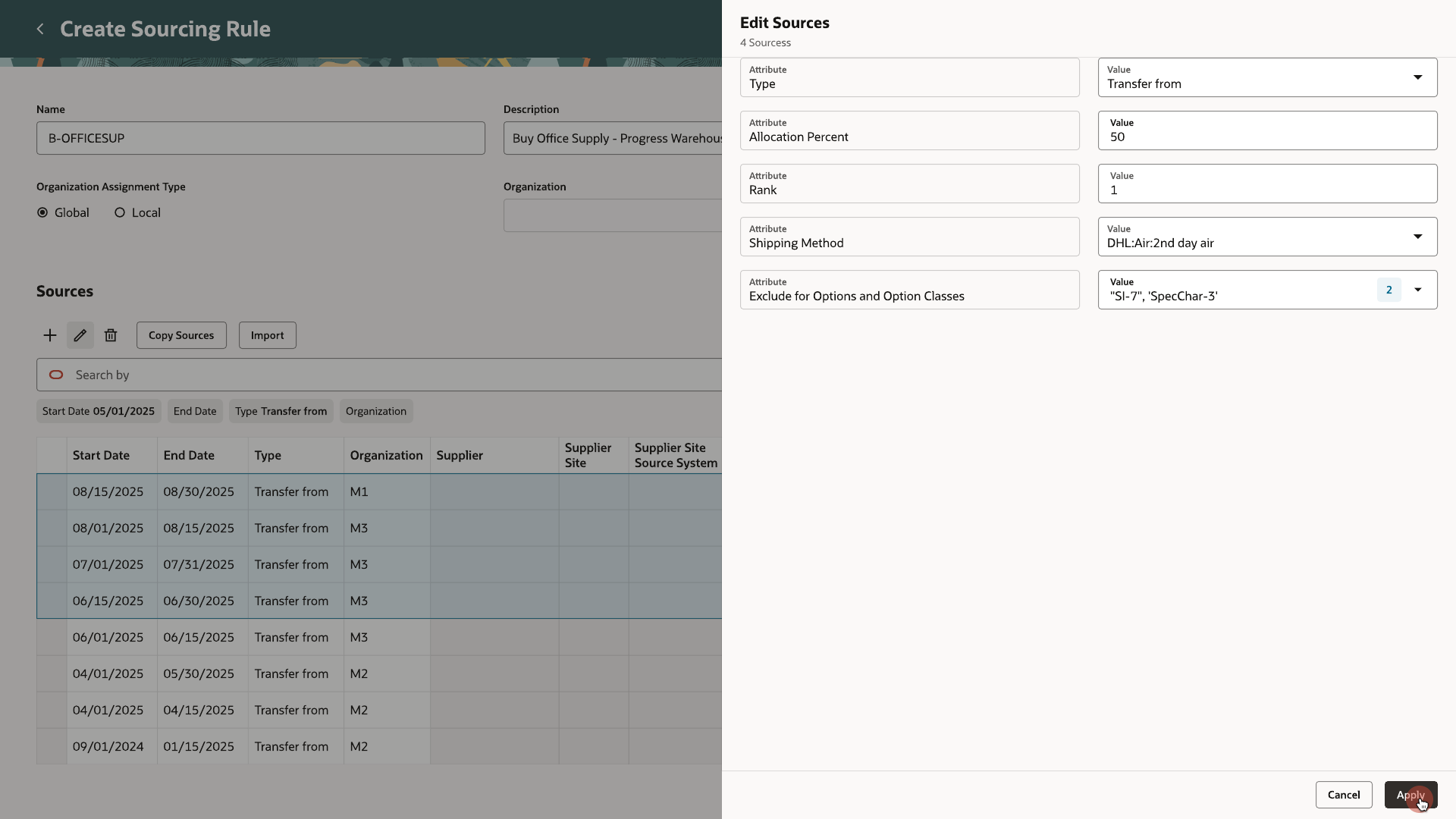
Editing many rows at once
Selecting several source rows and choosing Edit opens the same fields — type, allocation percent, rank, shipping method — as a single form applied to all of them, instead of a planner repeating the same change row by row.
Sources and guardrails
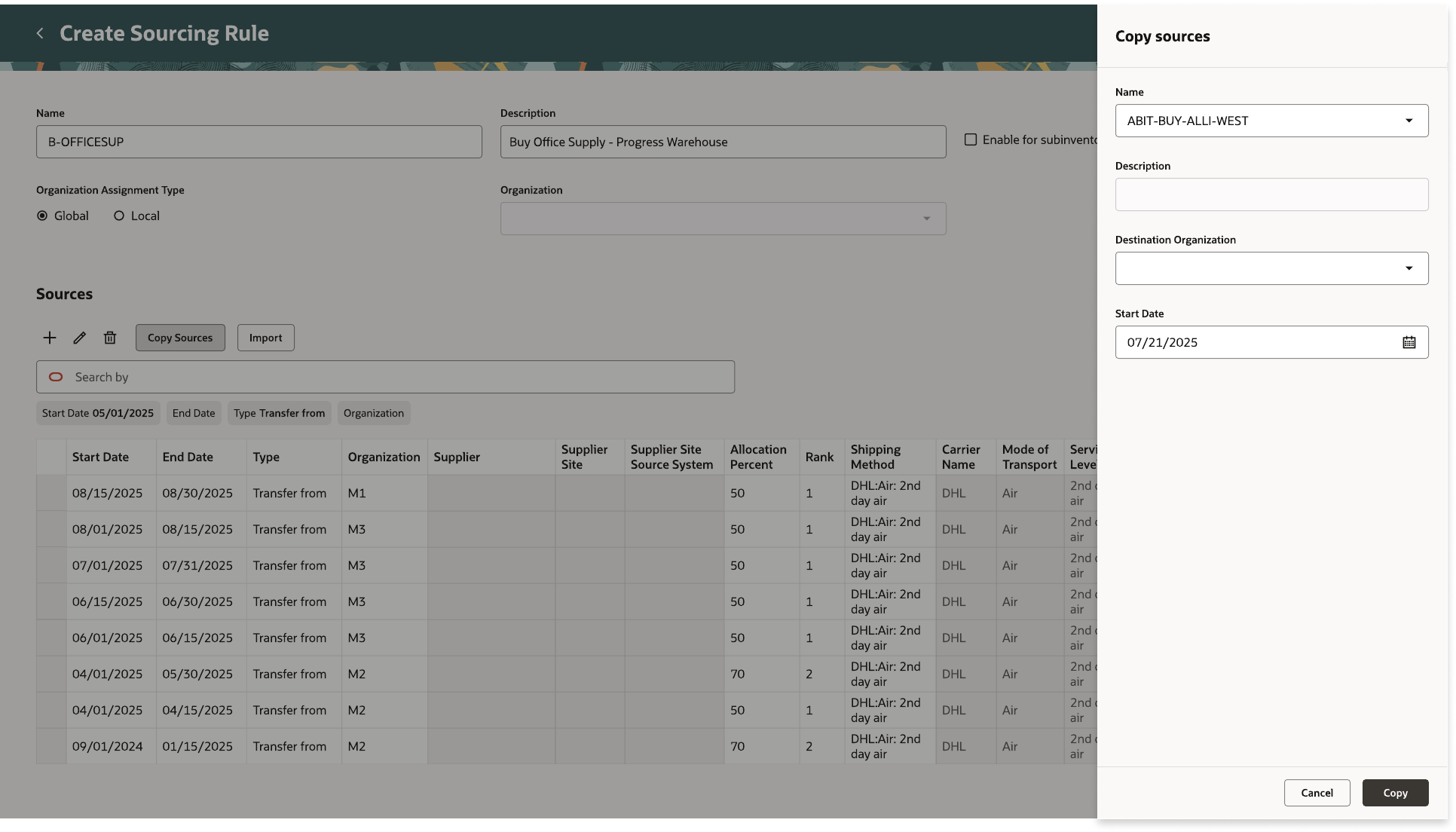
Reusing a setup
Copy Sources pulls the sourcing detail from another rule into the one a planner is editing — pick the rule to copy from, a destination organization, and a start date, and the rows populate ready to save.
Bills of distribution
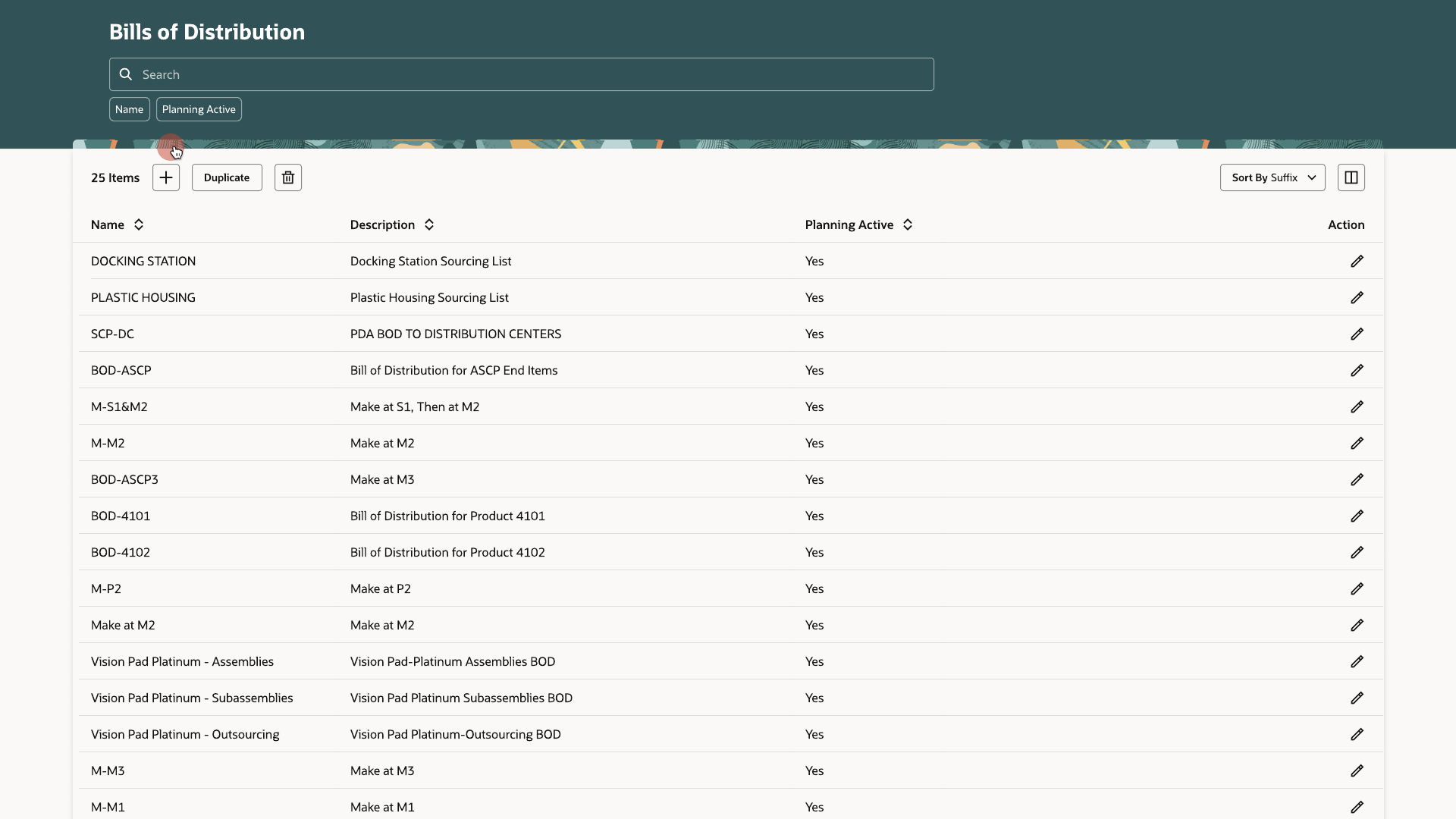
The same list, for networks instead of single sources
A bill of distribution describes a network rather than a single item's source — useful once material passes through three or more organizations before reaching where it's needed. It reuses the exact same list pattern as sourcing rules.
Bills of distribution
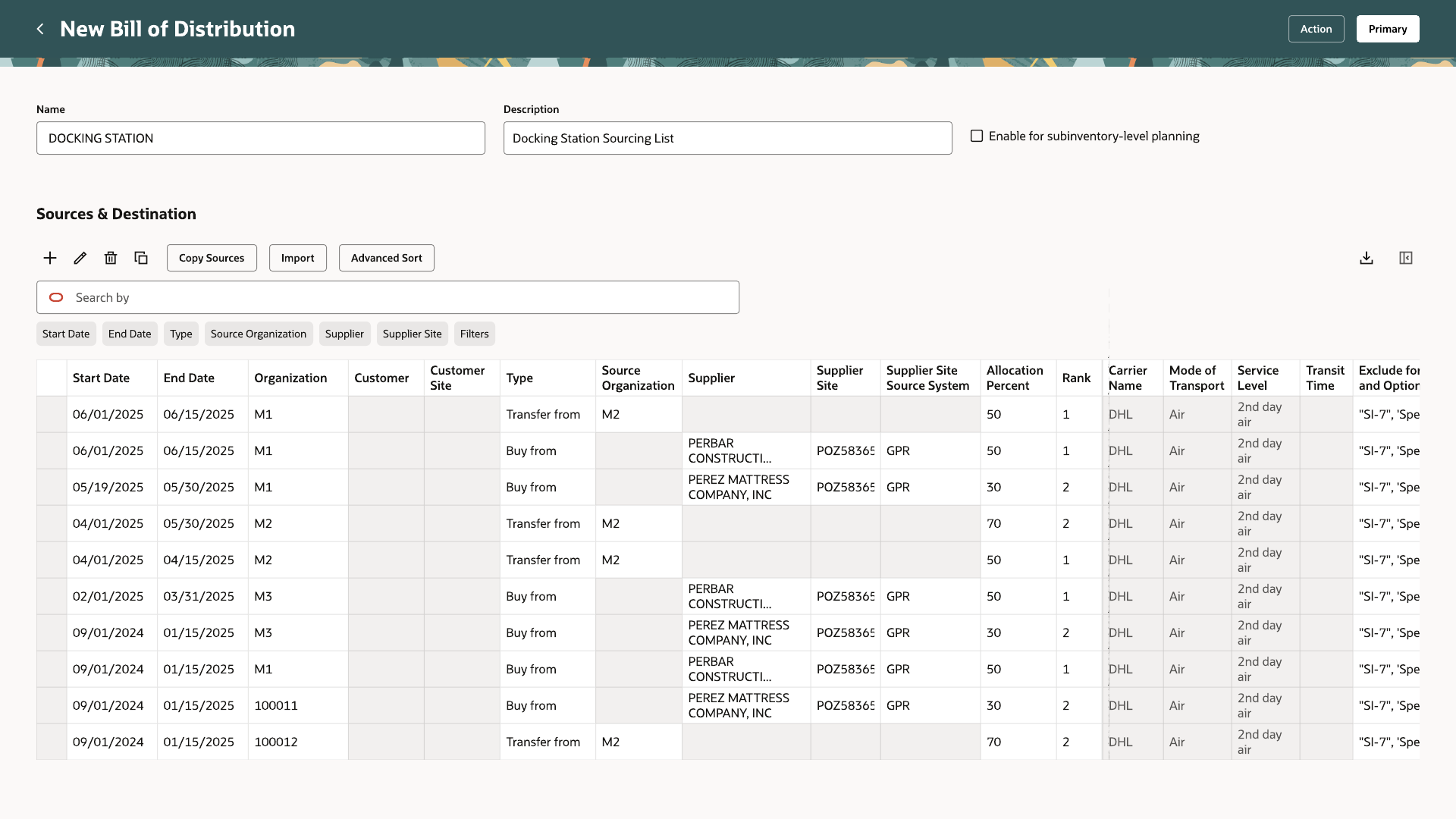
Organization and customer added
Sources & Destination in a bill of distribution carries the same type, rank, and allocation columns as a sourcing rule, plus an organization and customer on every row, since it's modeling a chain of locations rather than one destination.
Assignment sets
Connecting a rule to real items
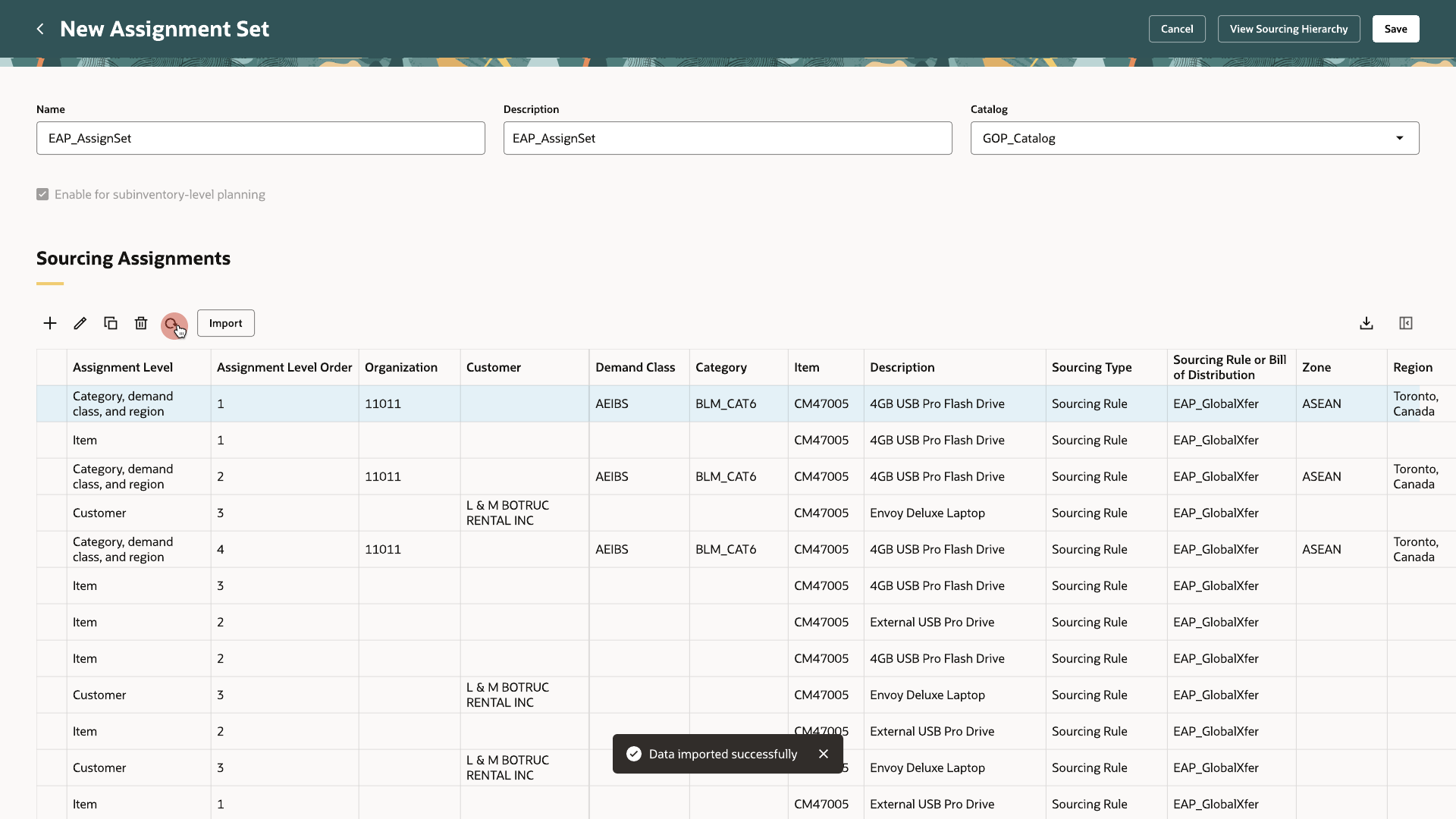
A sourcing rule or bill of distribution doesn't apply to anything until an assignment set links it to an item, a category, an organization, or a customer. The Assignment Sets list carries the same table pattern as the other two, with a link to View Sourcing Hierarchy for checking how a set's assignments resolve.
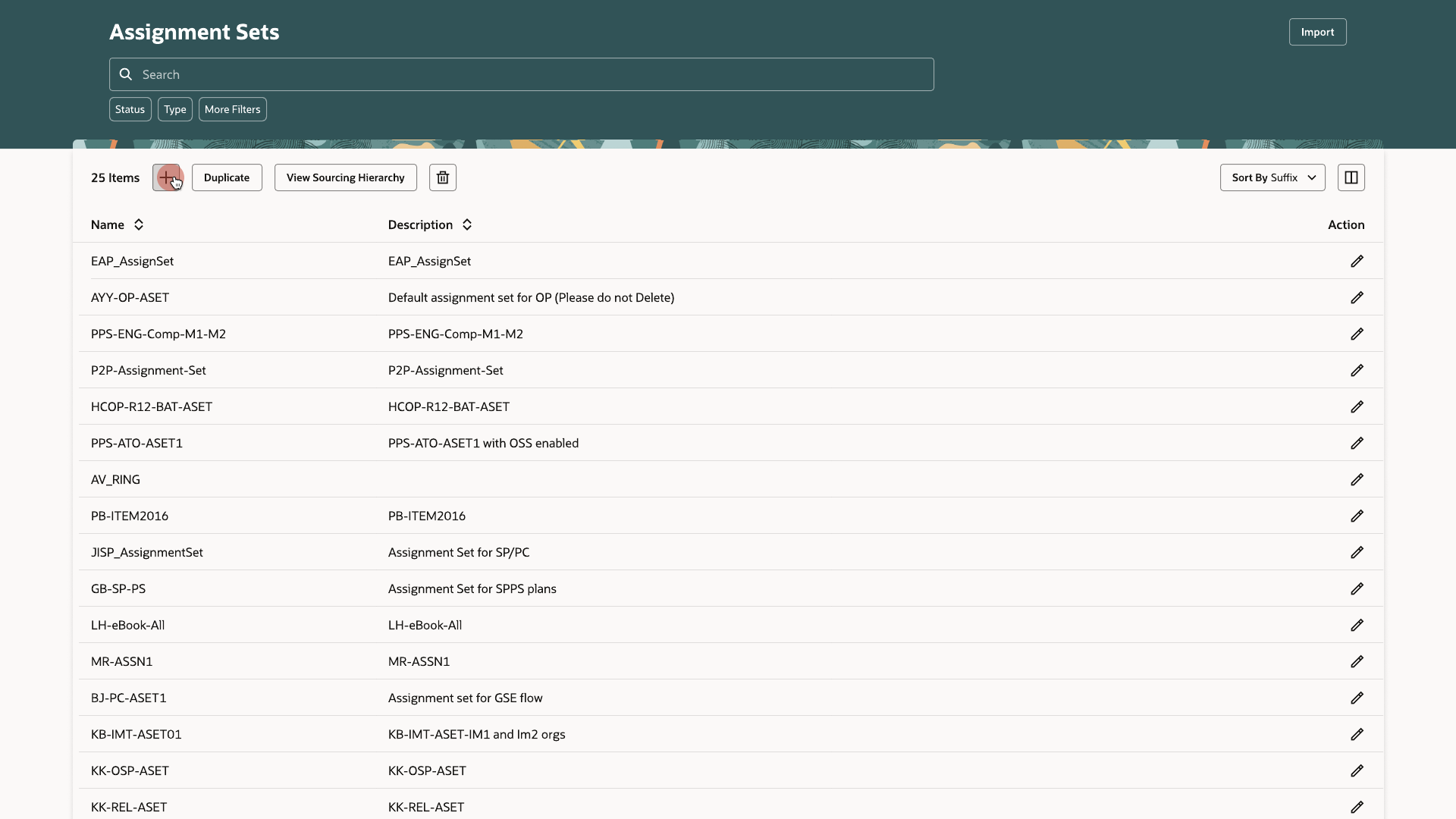
Assignment sets
The most specific assignment applies
One assignment set can carry rows at different levels of specificity — a category and region together, a single item, a specific customer — each pointing at its own sourcing rule or bill of distribution. When more than one row could apply to the same item, the most specific one takes precedence automatically, down to a 15-level hierarchy for demand sourcing.