Rohit Mehta ← All work

Sourcing Rules & Bills of Distribution

Let planners rank, split, and change where materials come from.

Case studyOracle

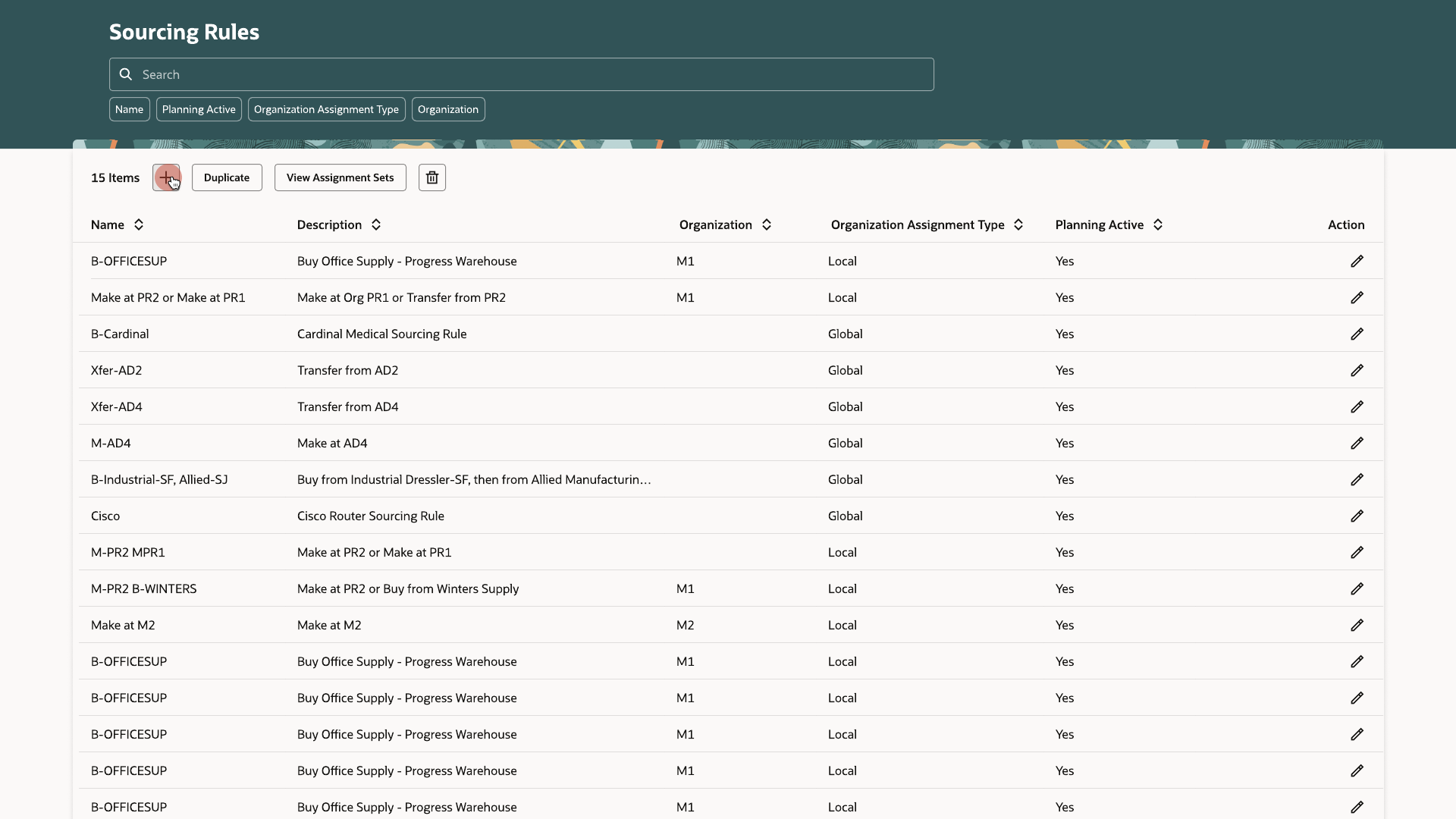
Sourcing Rules list showing name, description, organization, organization assignment type, and planning active status
RolePrincipal Product Designer
SkillsEnterprise UX (SCM), Systems Design, Design Systems (Redwood), Prototyping

The problem

Sourcing rules, bills of distribution, and assignment sets ran on a dense, old interface with few guardrails.

A sourcing rule says where an item comes from (made in-house, transferred from another organization, or bought from a supplier) and in what priority. A bill of distribution describes the same thing for a network of organizations. An assignment set links either one to items, categories, organizations, or customers. Mistakes on these screens usually showed up only after a plan had run on bad data.
The solution

The same table, filter, and create pattern across all three screens, with checks that run before a rule is saved.

Complexity

Five things shaped the design.

  1. Sources that share a rank must add up to exactly 100%.
  2. Each source row has its own start and end date, so a rule can change over time without touching earlier or later rows.
  3. A bill of distribution adds an organization and customer to every row, because it describes a network.
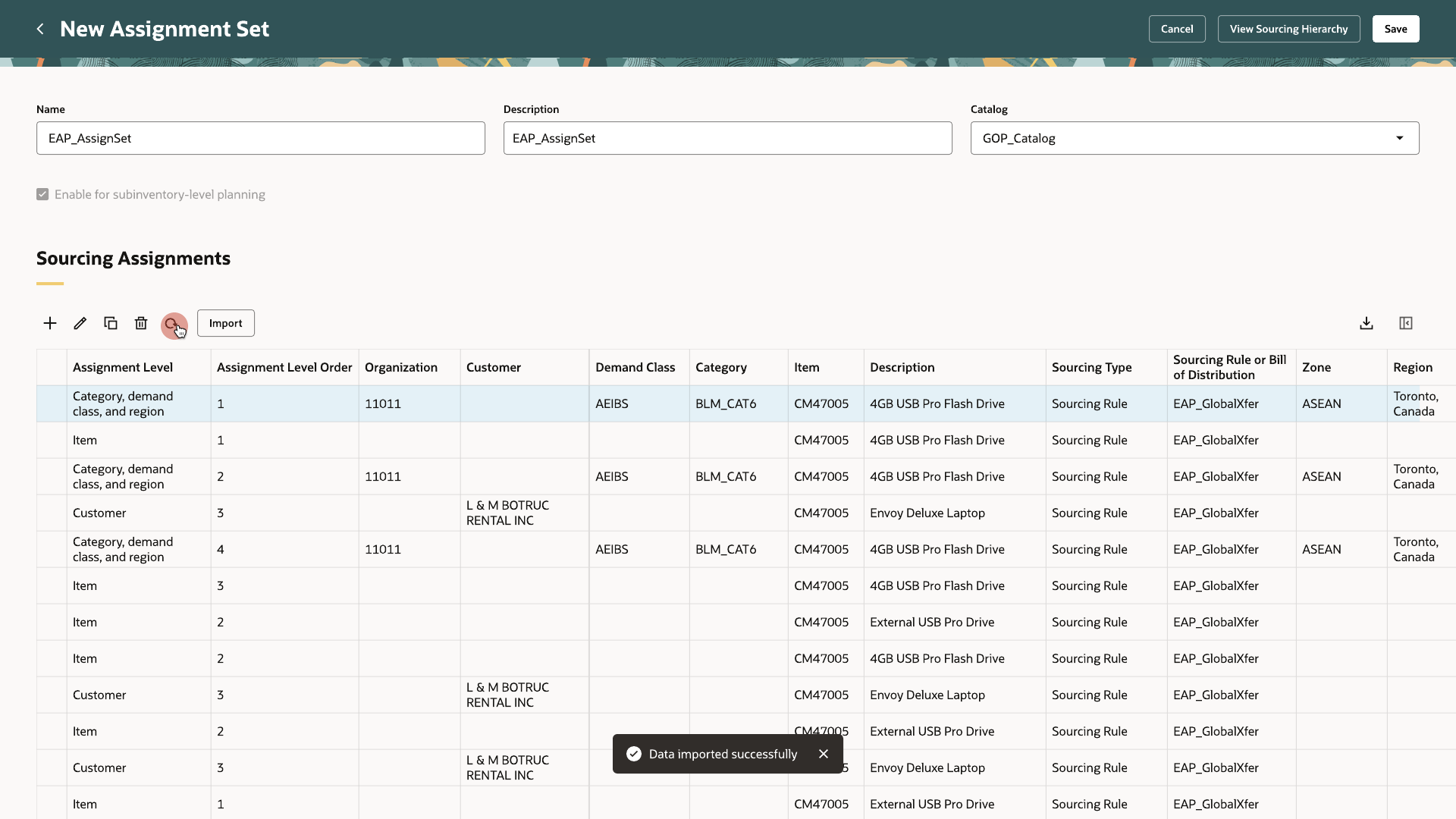
  4. An assignment set can hold rows at up to 15 levels of specificity for demand sourcing, and the most specific match wins.
  5. Some plan types read these differently. Replenishment Planning uses only rank 1 bills and does not support split bills, and Sales and Operations Planning does not support bills of distribution.

Final design

Rules, bills, and assignment sets each get a list and a create screen built the same way.

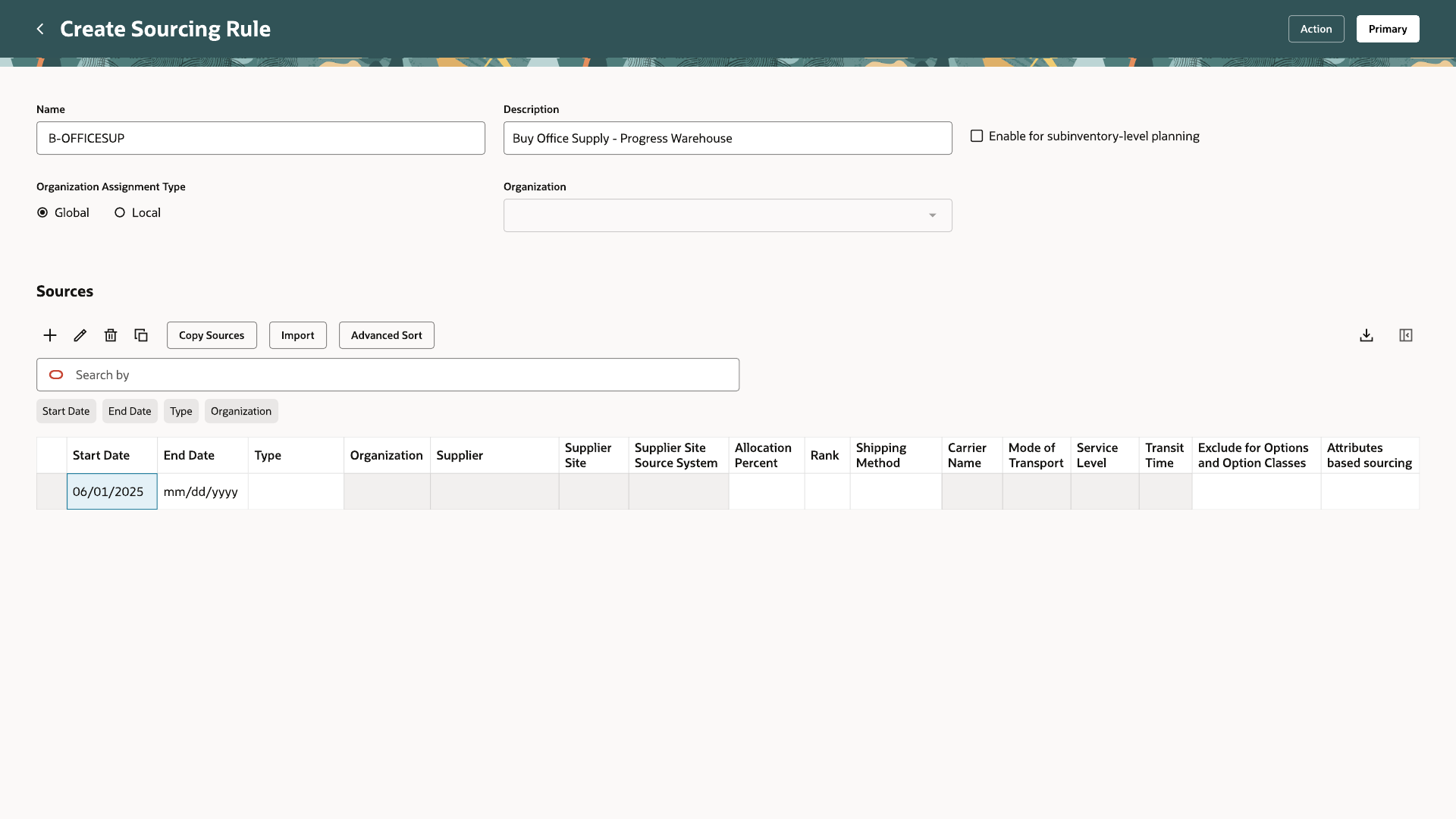
Create Sourcing Rule screen with Name, Description, and Organization Assignment Type fields, and an empty Sources table
01Creating a rule starts with a name, a description, and whether it applies globally or to one organization.
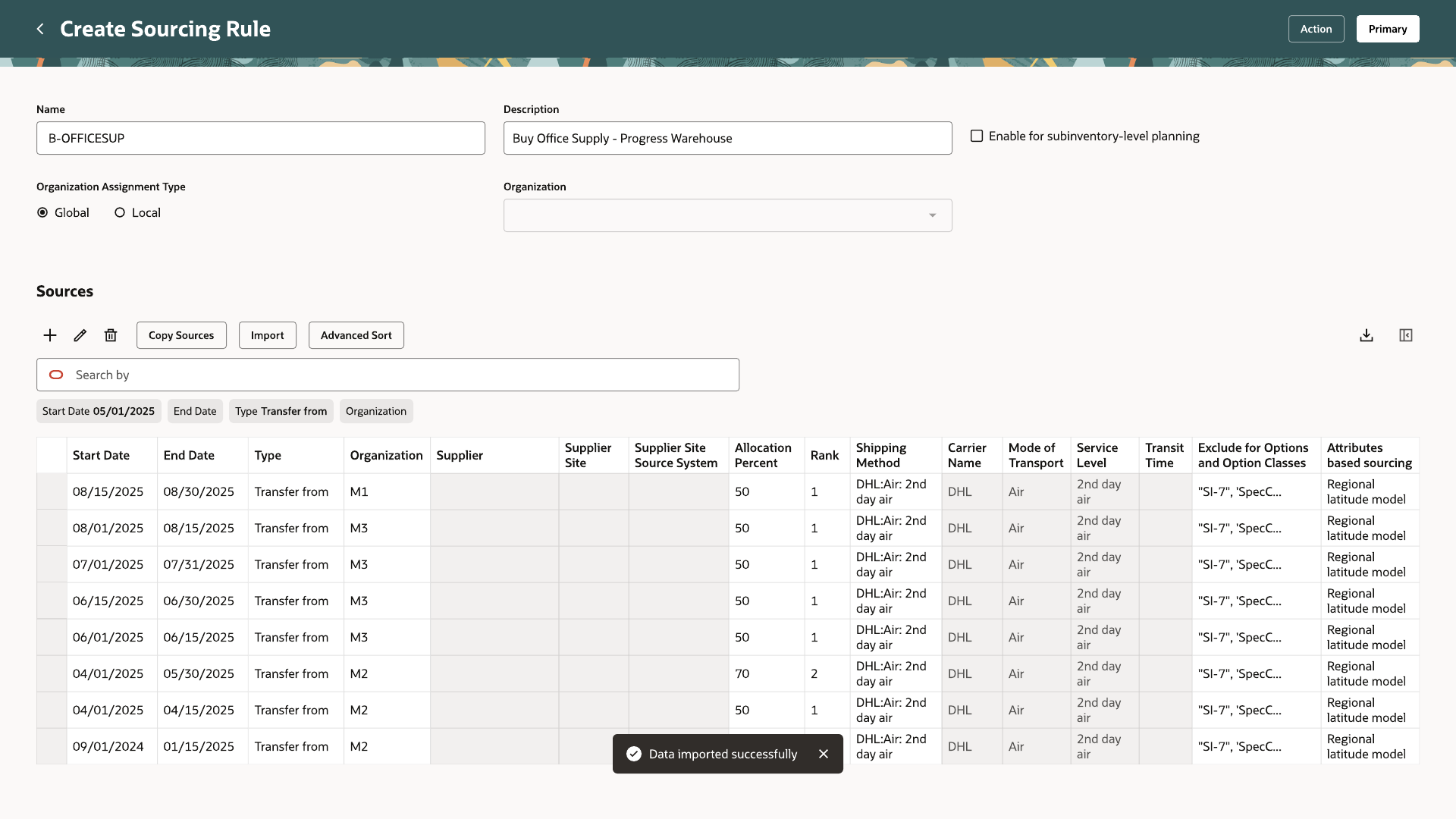
Sources table with start date, end date, type, organization, allocation percent, and rank columns filled in
02Each source has a type (transfer from, make at, or buy from), a rank, an allocation percent, and start and end dates.
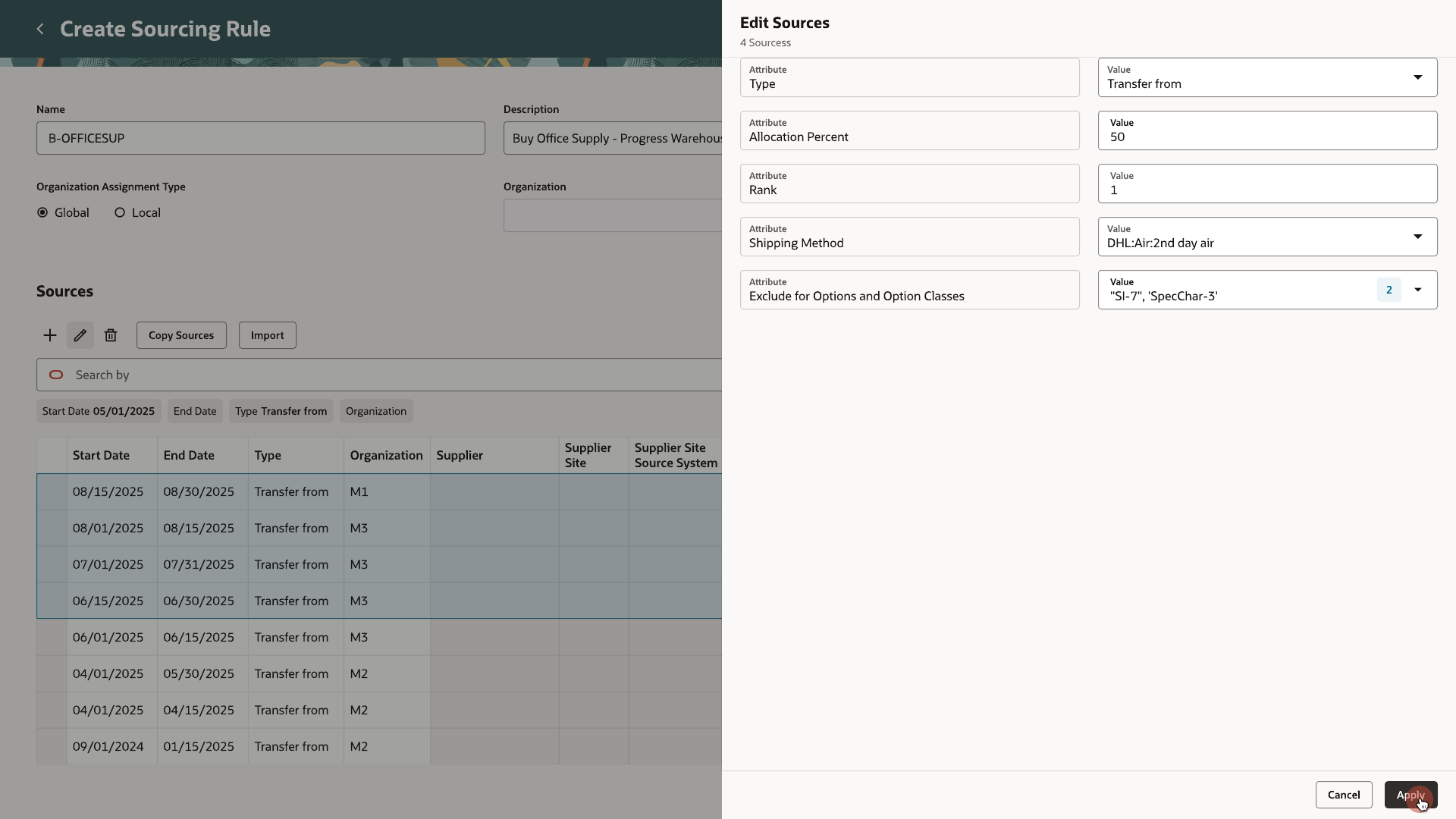
Edit Sources panel open over four selected rows
03Selecting several rows opens one Edit Sources panel that applies to all of them.
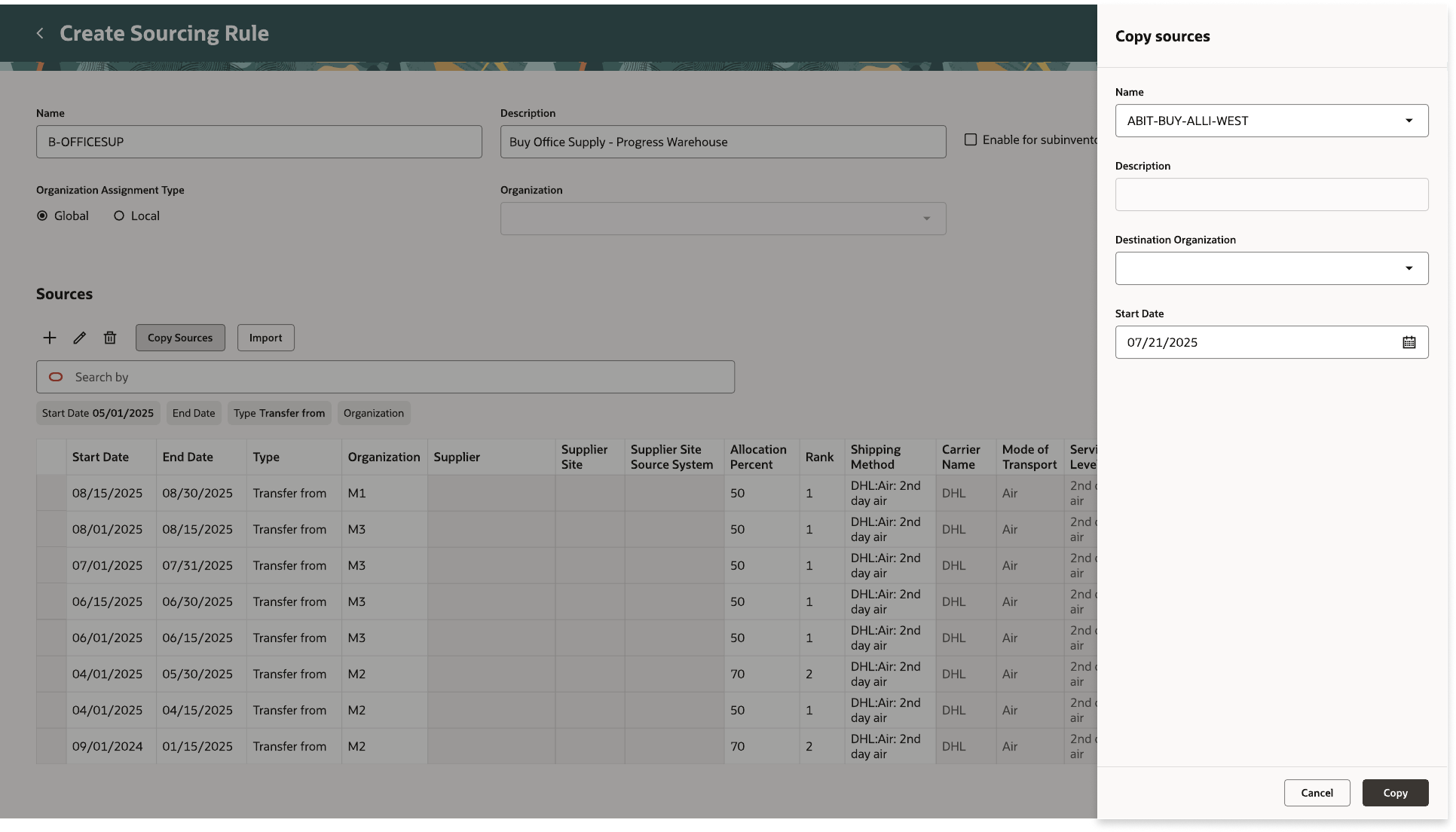
Copy sources drawer with Name, Description, Destination Organization, and Start Date fields
04Copy Sources brings the rows from another rule into this one, for a chosen organization and start date.
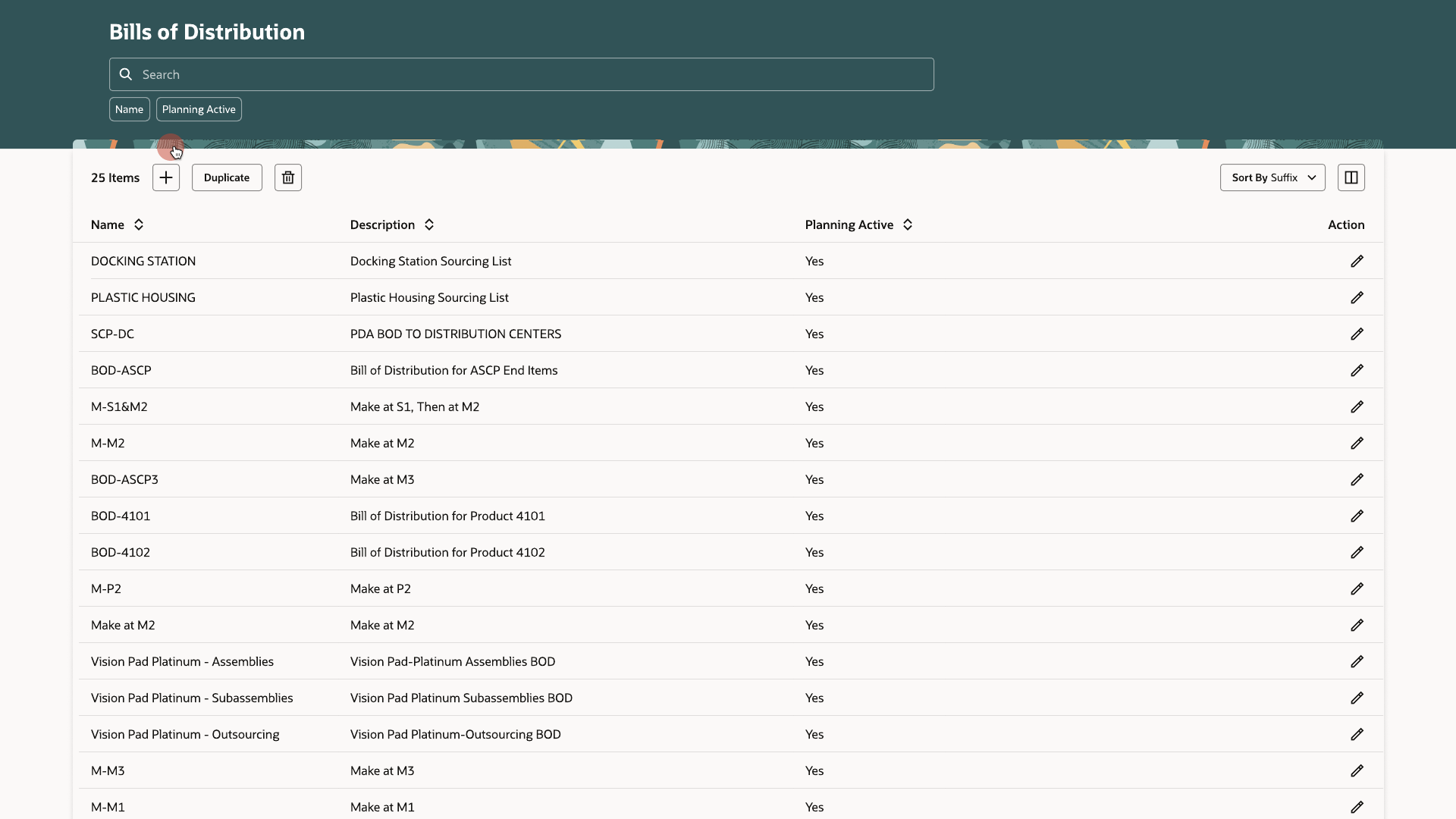
Bills of Distribution list showing name, description, and planning active status
05The Bills of Distribution list uses the same table as sourcing rules.
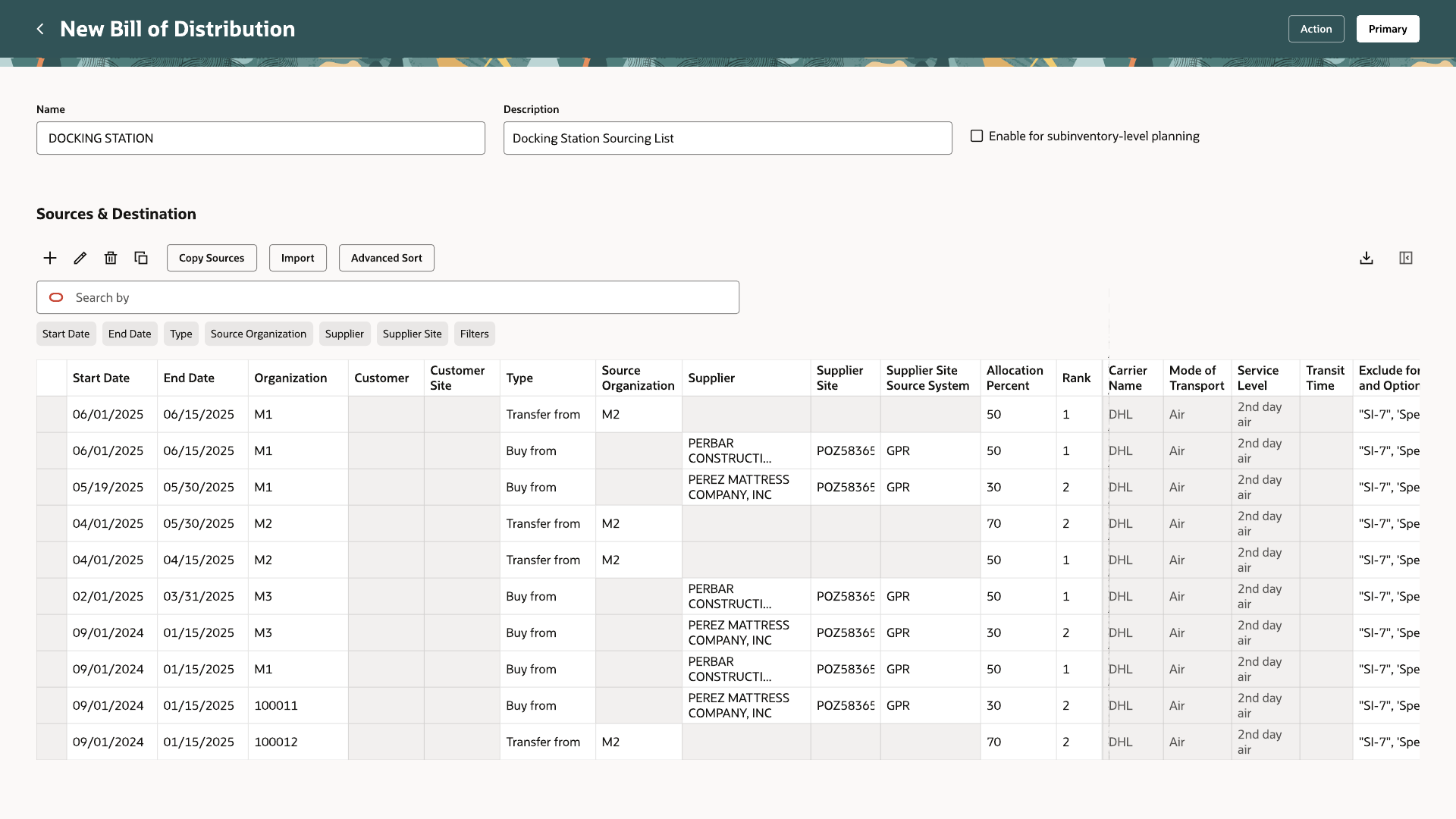
New Bill of Distribution screen with a Sources and Destination table
06Sources & Destination has the same rank and allocation columns, plus organization and customer.
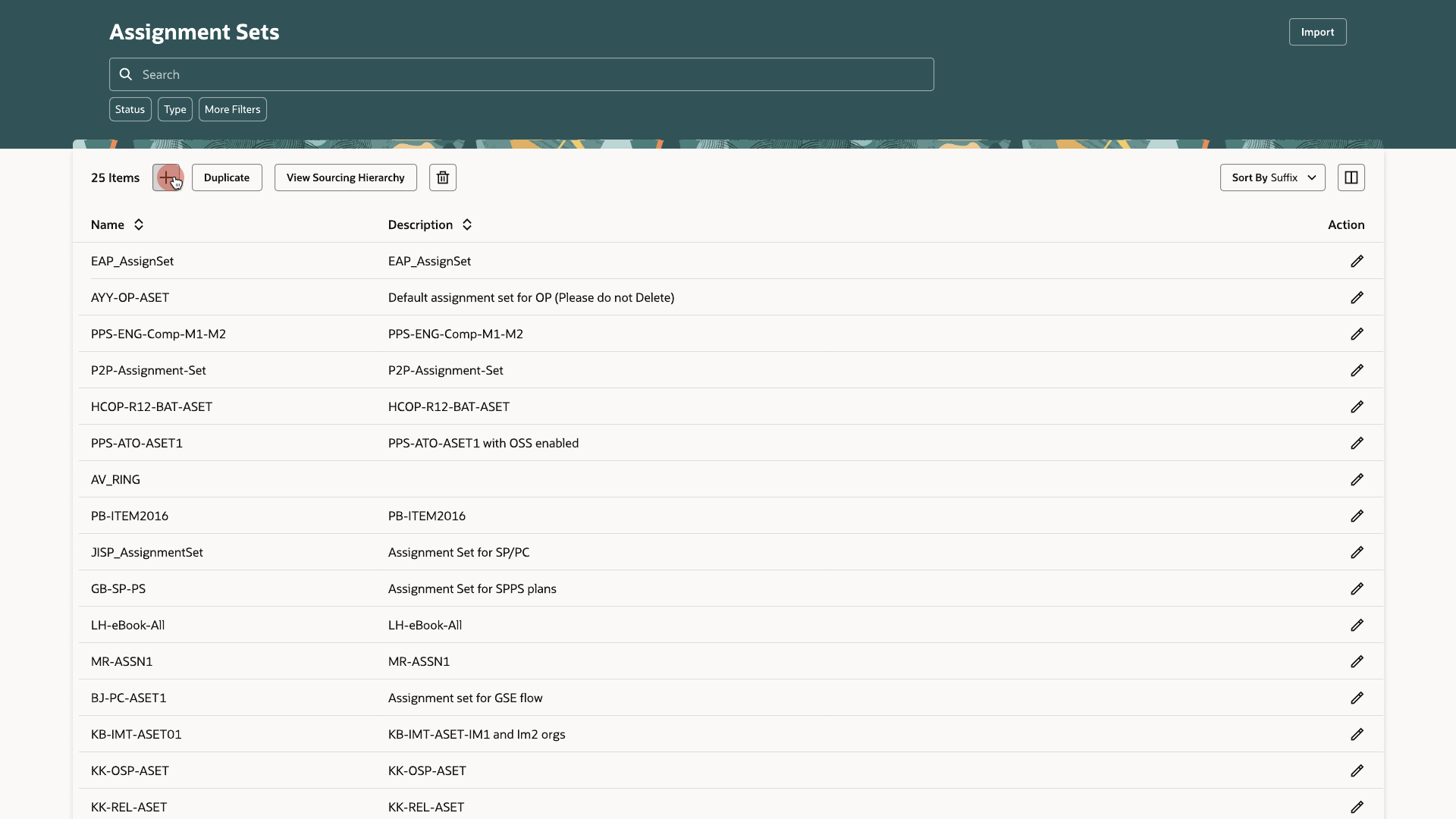
Assignment Sets list with a View Sourcing Hierarchy button
07The Assignment Sets list, with a shortcut to View Sourcing Hierarchy.
Sourcing Assignments table showing assignment level, organization, customer, category, item, and the sourcing rule or bill of distribution each row points to
08Each row links an item, category, organization, or customer level to a sourcing rule or bill of distribution.

Key takeaways

Put validation next to the data.

The 100% rule for each rank is checked in the table, before a rule is saved.

Reuse instead of retype.

Copy Sources and mass edit let a planner build on an existing setup instead of entering rows one at a time.

Keep related screens alike.

Rules, bills, and assignment sets share one pattern, so learning one teaches the other two.

Outcomes

Sourcing rules, bills of distribution, and assignment sets use one shared pattern. Overlapping assignments resolve to the most specific match automatically.