Oracle · Case study
Manage Plans
A guided, pre-filled process for creating and managing every plan type in Oracle Supply Chain Planning.
The problem
One flat form was used to create every kind of plan.
A planner might be creating a Demand Plan, a Supply Plan, a combined Demand and Supply Plan, or a Replenishment Plan. Each needs different inputs and has a different idea of what's required before it can run. The old interface showed the same form for all four, so most of the fields on screen didn't apply to whatever a planner was actually building, with no indication of which ones did.
Actions on an existing plan — approve, archive, delete — also weren't consistent; what a planner could do depended on permissions that weren't visible until they tried.
The goal
One process that adapts to the plan type being created.
As a planner, I need one guided process that shows only the steps and fields a given plan type actually needs, instead of one long form that's the same for every type.
- 01 One flow that works for all four plan types, instead of a separate screen for each.
- 02 Steps instead of one long form, so a planner knows where they are and what's left.
- 03 Required fields already filled in with sensible defaults.
- 04 Full manual control still available for a planner who needs it.
The solution
A guided process that reshapes itself around the plan type.
A planner picks a type — Demand, Supply, Demand and Supply, or Replenishment — and the process shows only the steps that type needs, from as few as four to as many as ten, with defaults already filled in.
Starting a plan
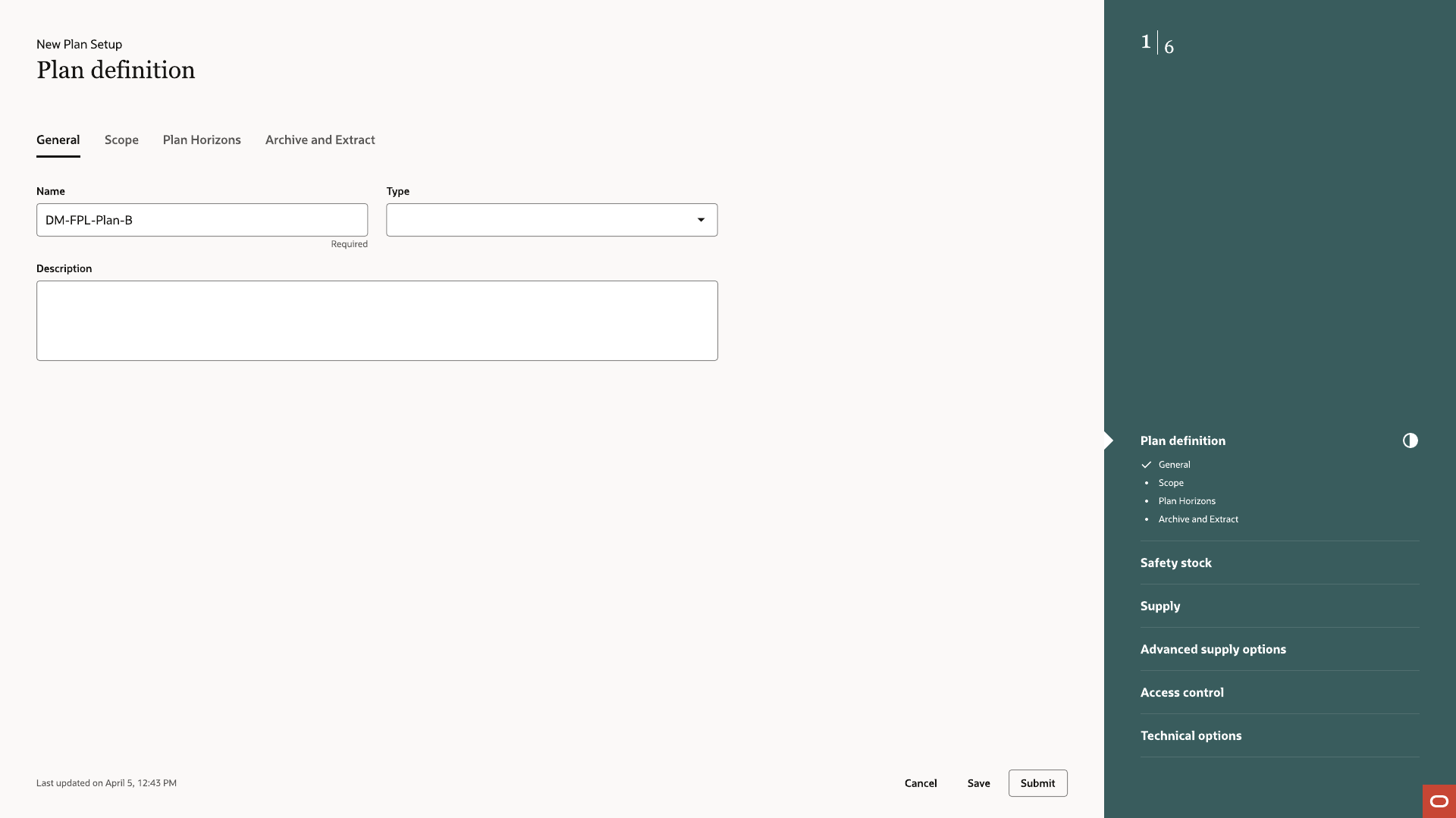
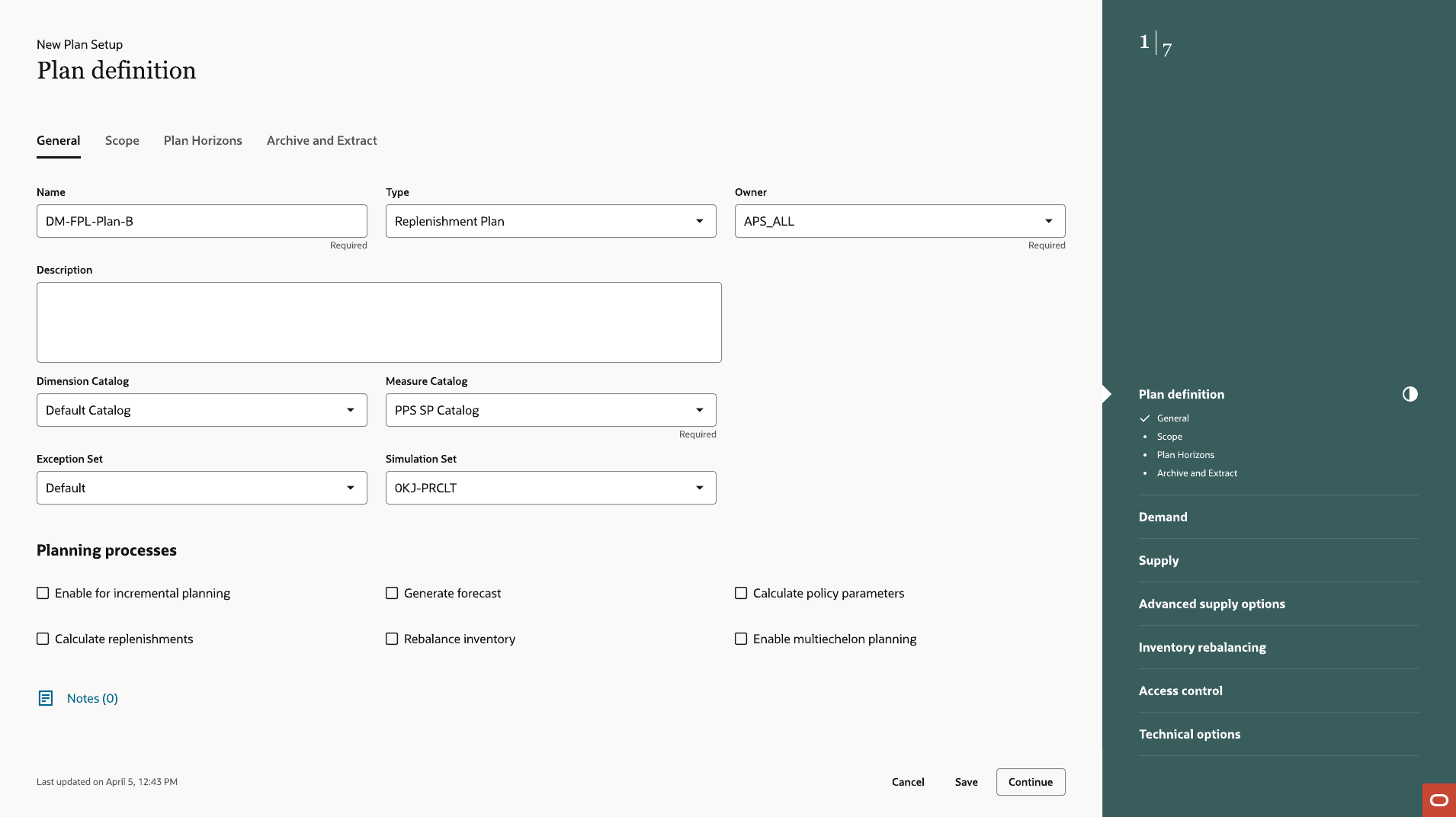
Name, Type, Description
Three fields start the process. Type determines every step, every default, and every field a planner sees for the rest of the flow.
Defaults
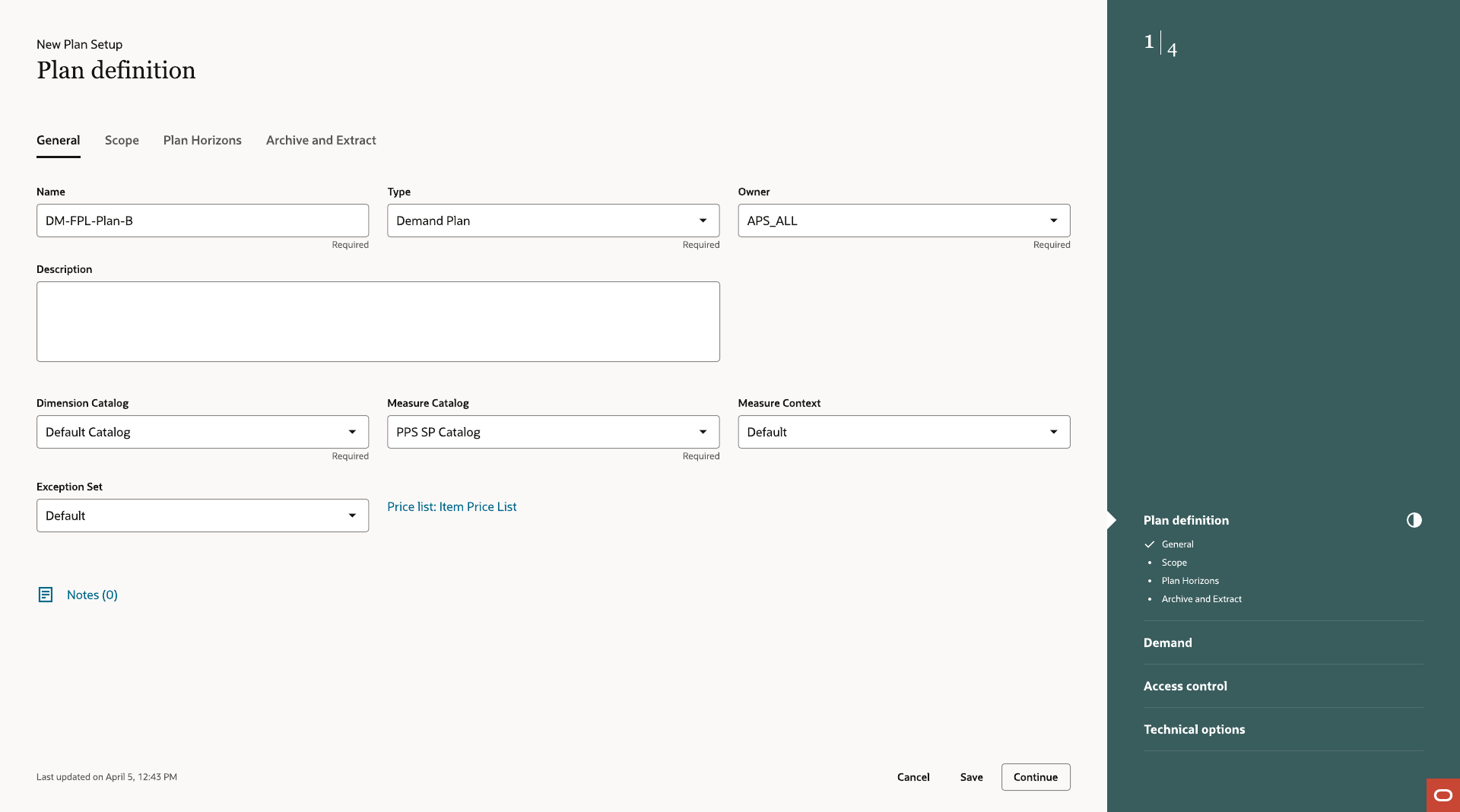
Plan Definition, General tab
Dimension Catalog, Measure Catalog, Exception Set, and the rest of what a plan of this type requires are already filled in with defaults. This Demand Plan's rail shows just four steps — as few as the type needs.
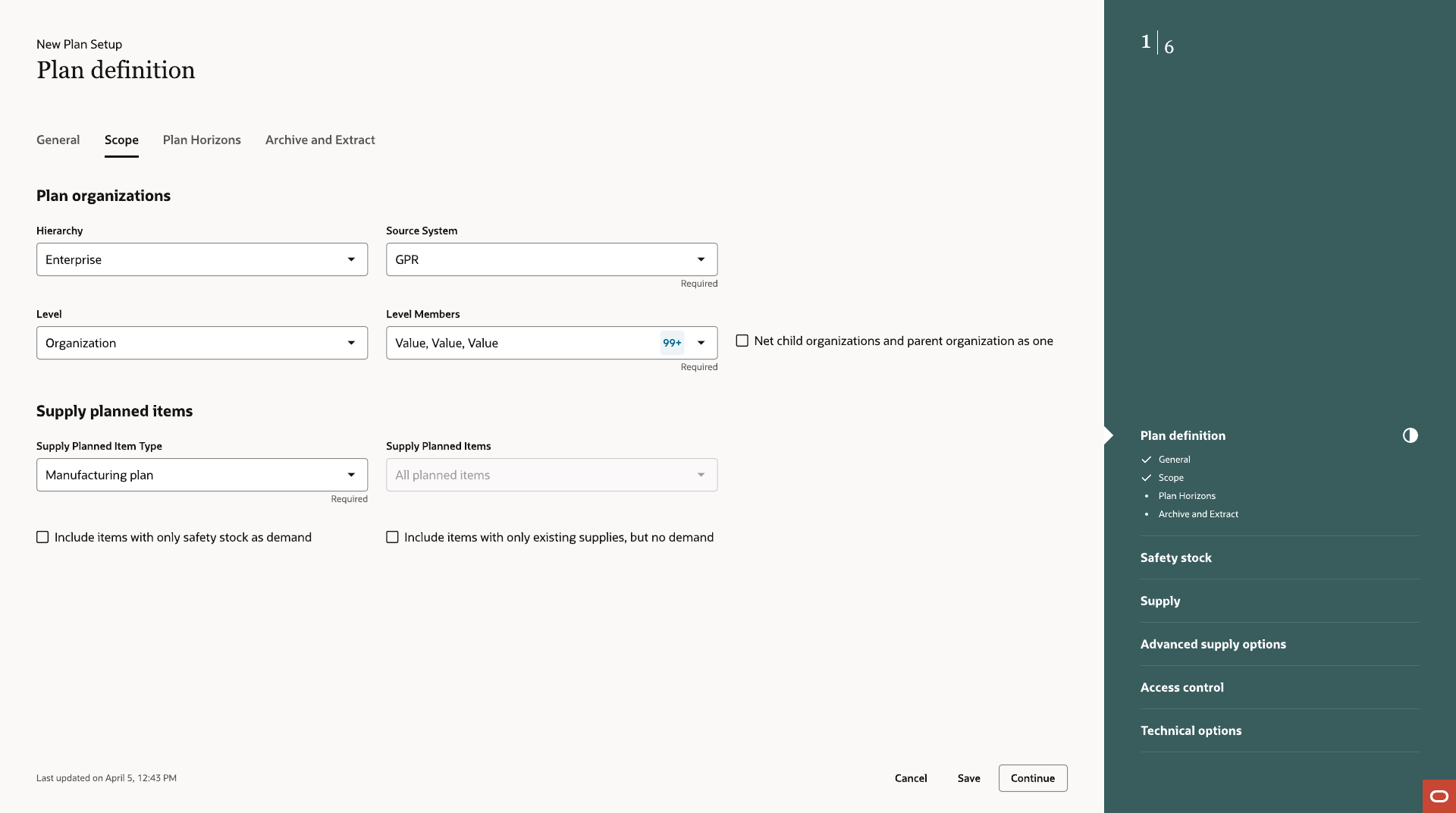
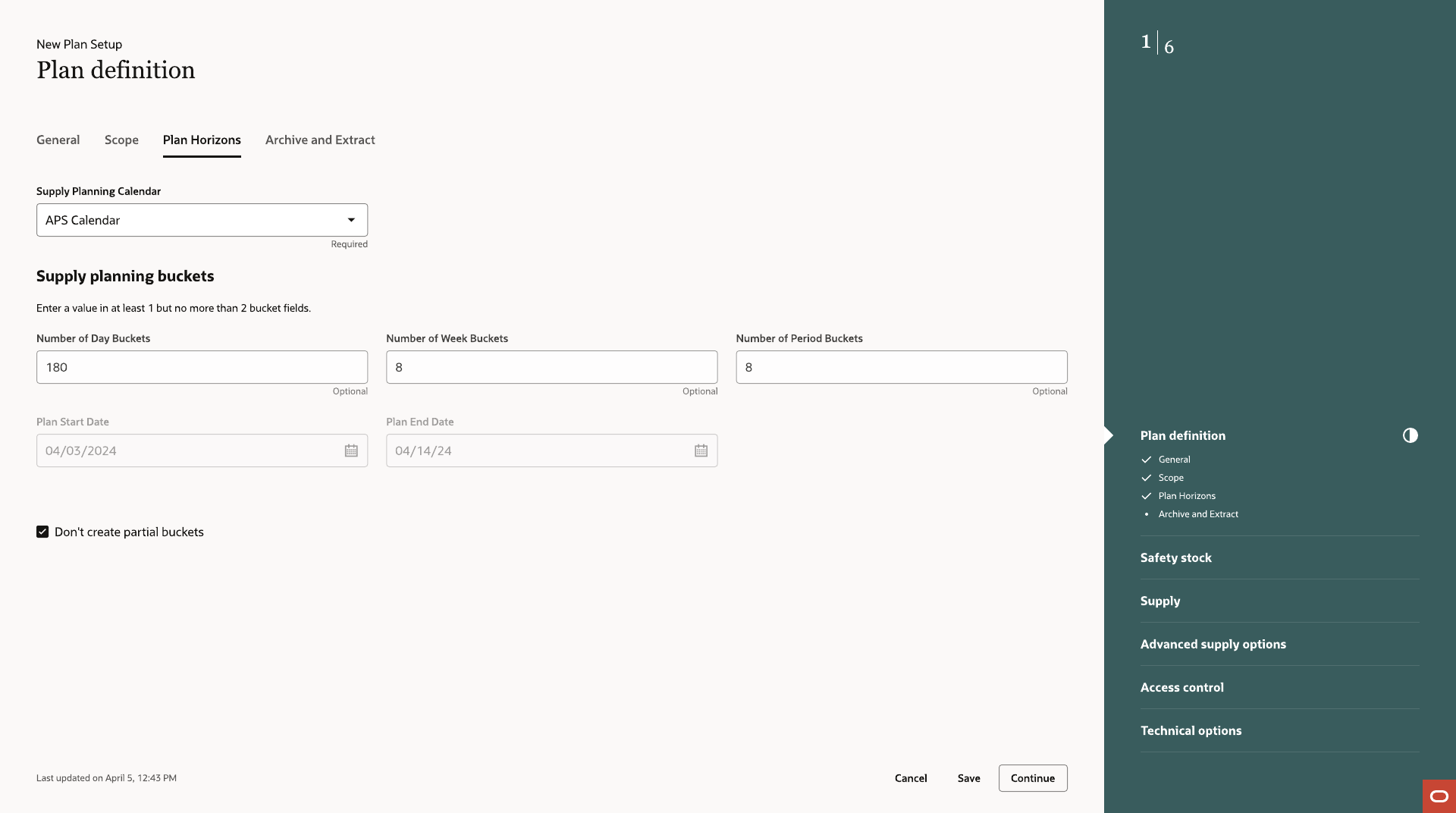
Scope and horizons
What the plan covers, and over what time
Scope narrows the plan to specific organizations, items, and hierarchy levels. Plan Horizons sets the planning calendar and bucket structure. Both default based on plan type and stay fully editable.
Type-conditional steps
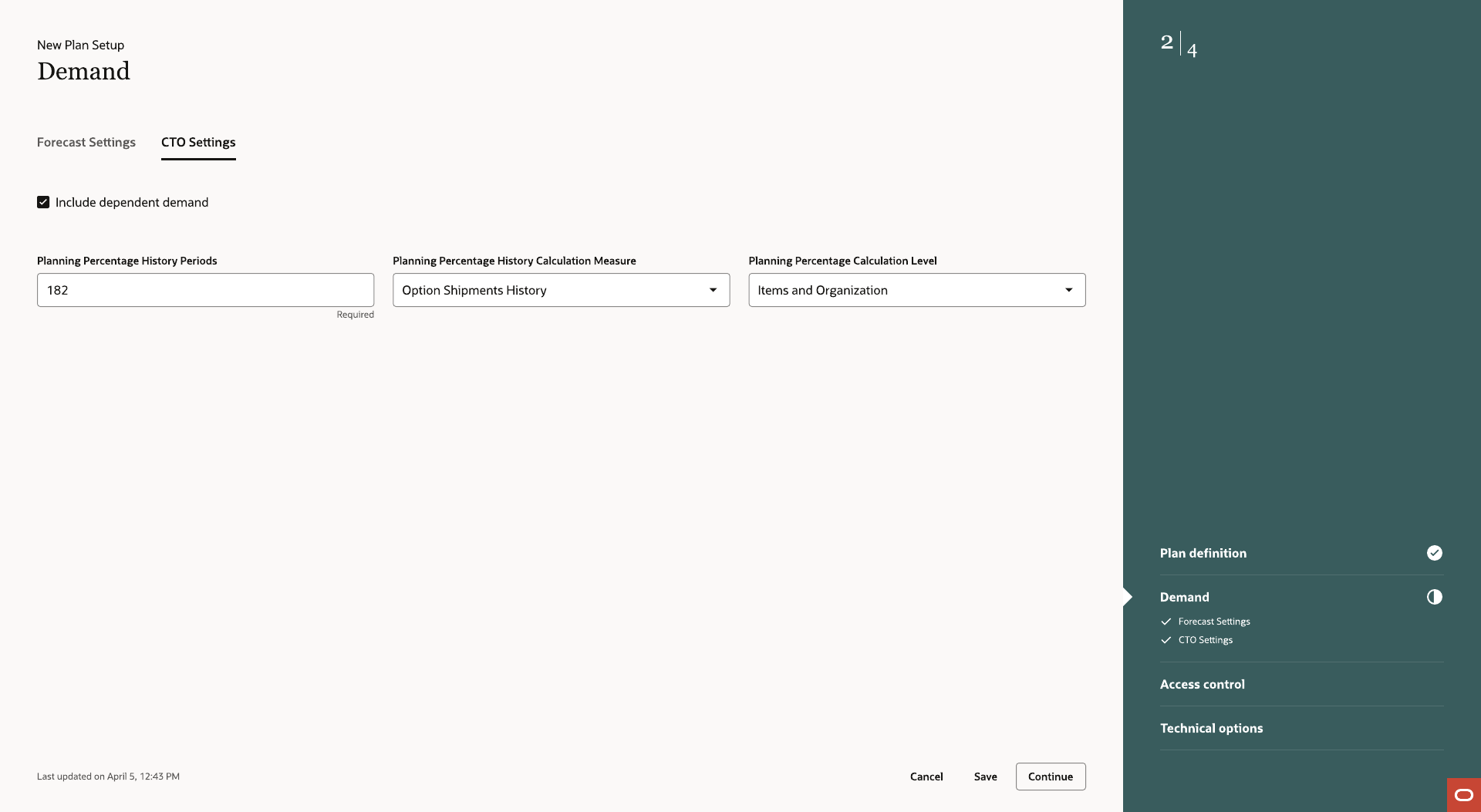
The Demand step
Forecast Settings and CTO Settings exist as a step for Demand Plans and Demand and Supply Plans, and don't exist in the flow for a Supply Plan. Steps that don't apply to a plan type are never generated — not hidden, just absent.
Safety stock
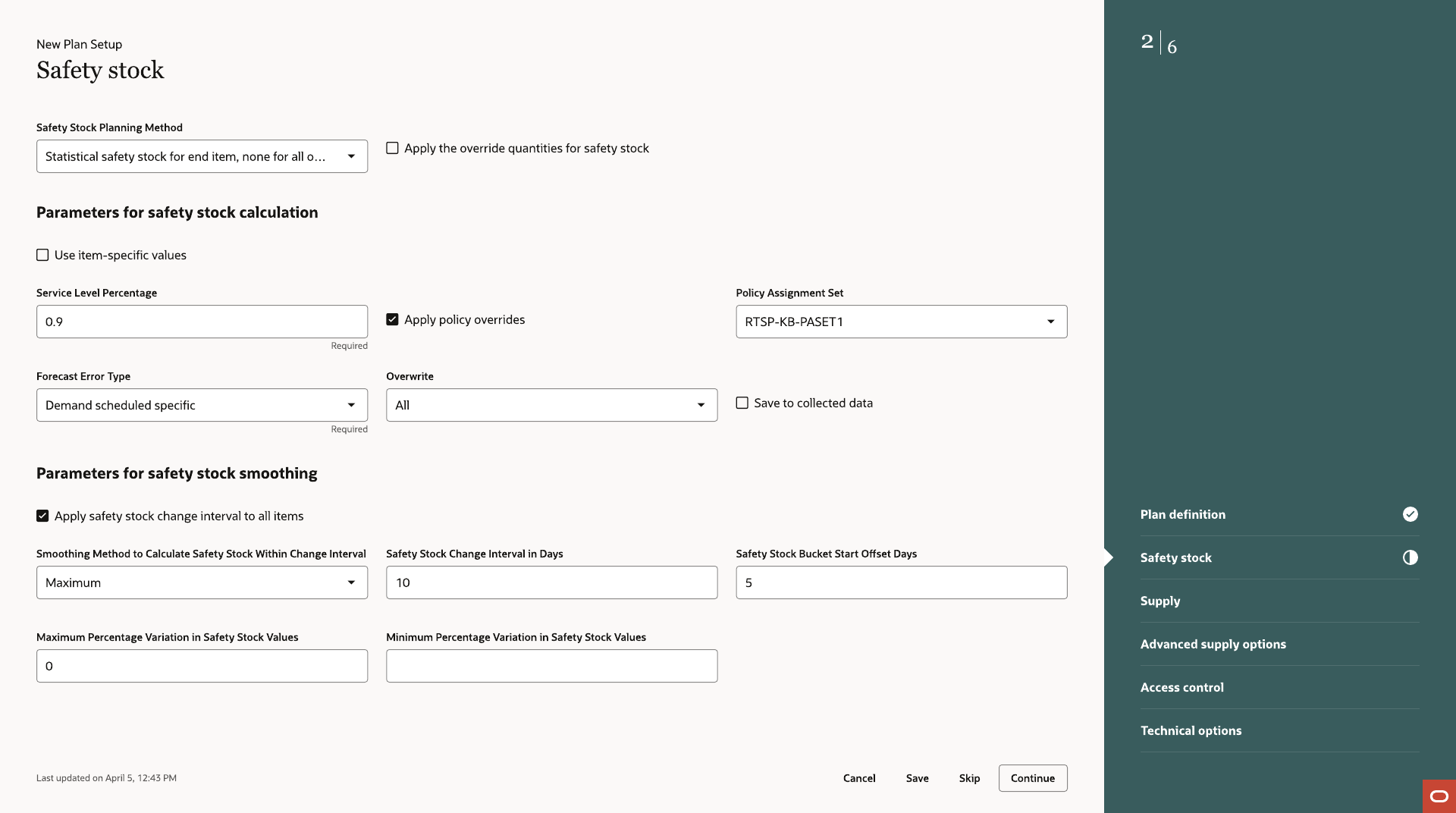
Calculation and smoothing
Safety stock configuration includes a calculation method and smoothing parameters, both defaulted, to prevent day-to-day demand fluctuation from swinging projected available balances more than actual demand has changed.
Replenishment Plans
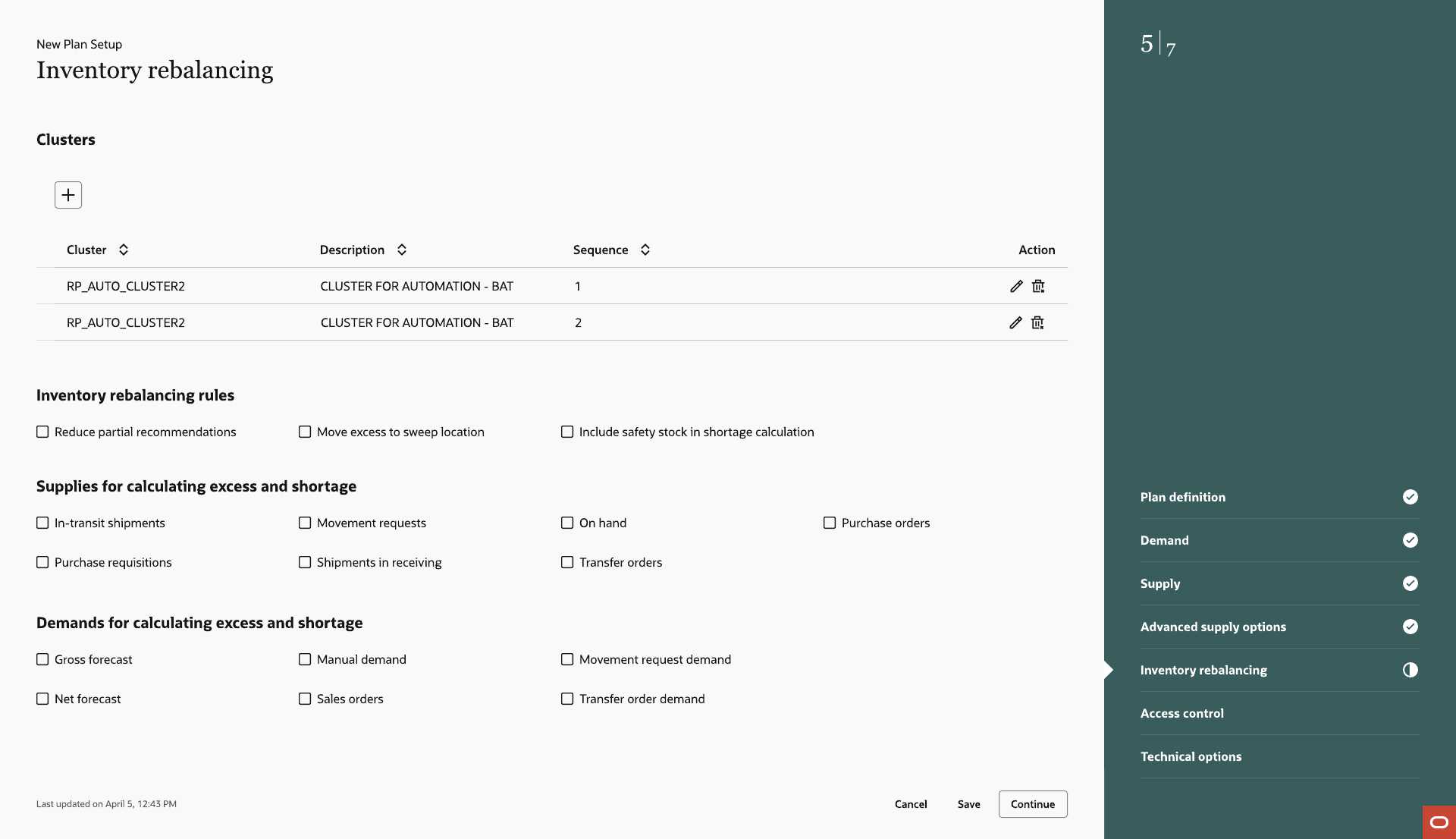
Inventory Rebalancing
Replenishment Plans use the same guided shell with one additional step, Inventory Rebalancing, that doesn't exist for any other plan type.
Managing plans
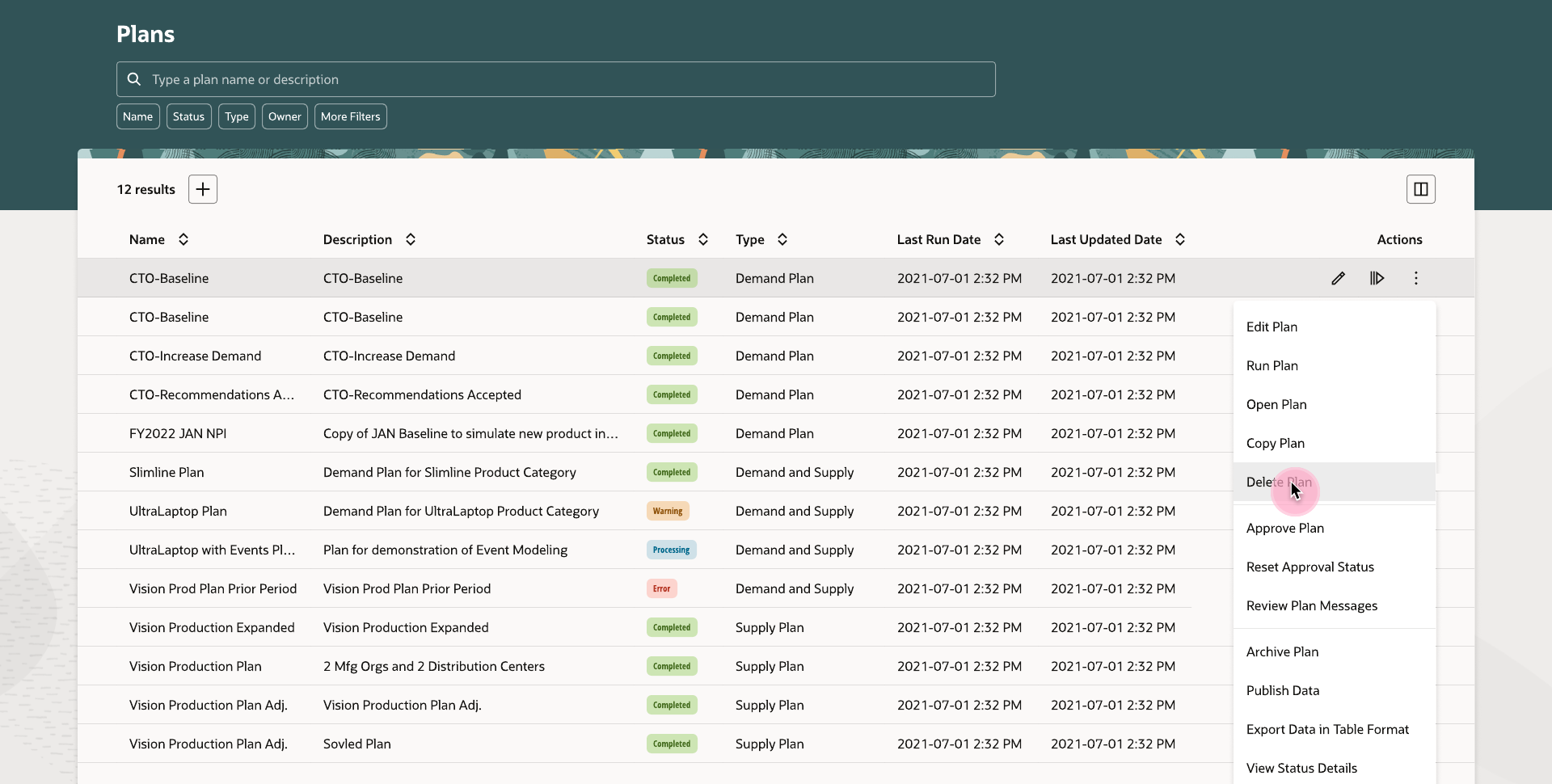
Plan lifecycle actions
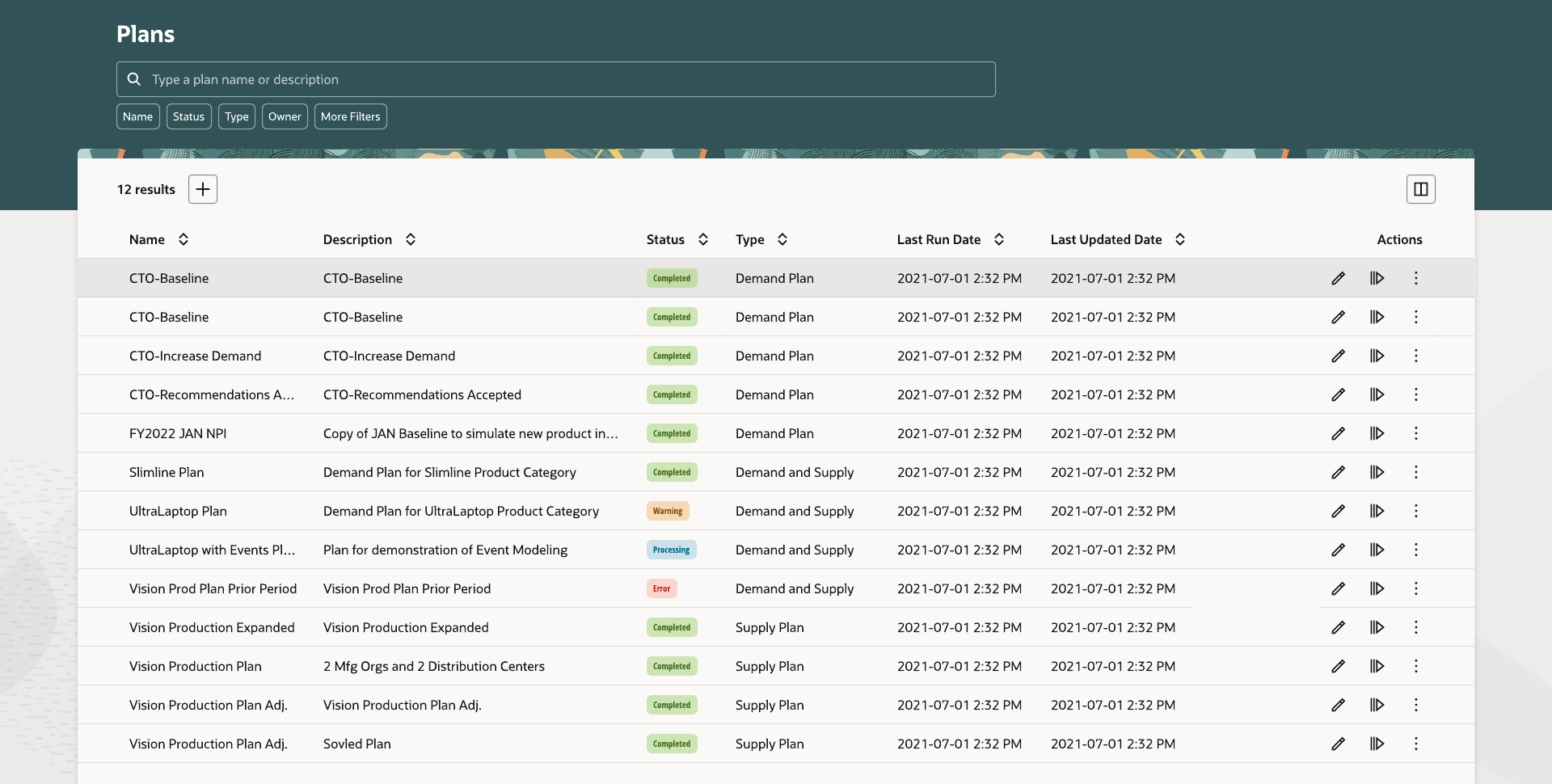
Plans get approved, superseded, cloned for a what-if scenario, archived, published, exported, or occasionally need an approval reversed. The same ellipsis menu that opens Edit Plan Options carries these actions, available or not depending on the plan's type and current state.
- 01 Approve. Marks a plan's output as the accepted baseline others plan against.
- 02 Reset approval status. Reverses an approval when a plan needs another review before it stands.
- 03 Duplicate. Clones a plan's full configuration for a what-if scenario without rebuilding it.
- 04 Archive and delete. Archive preserves a snapshot of a plan's measures over time; delete removes a plan outright.
- 05 Publish data. Pushes a plan's output to downstream systems without leaving the list.
- 06 Export data. Pulls a plan's measures out in table format for offline analysis.
Editing a plan
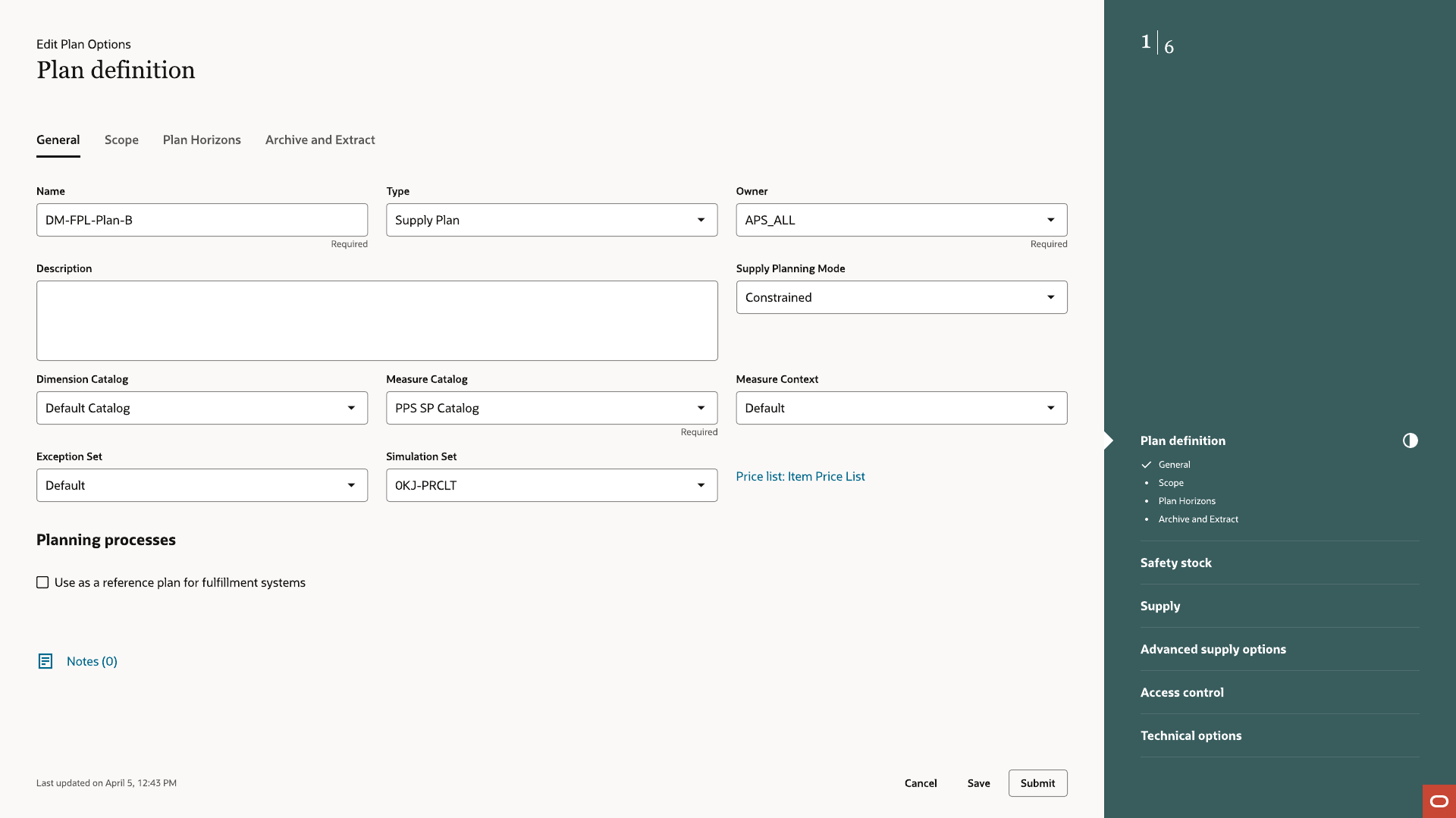
Edit Plan Options
Edit Plan Options reopens the same guided process, populated with the plan's actual saved configuration instead of defaults. A planner changes the step that needs it and resubmits, instead of repeating the full flow.